Saskia Wilson website analysis
A detailed critique of the homepage's craft, originality, usability, and ability to move visitors toward its intended goal.
Our observations
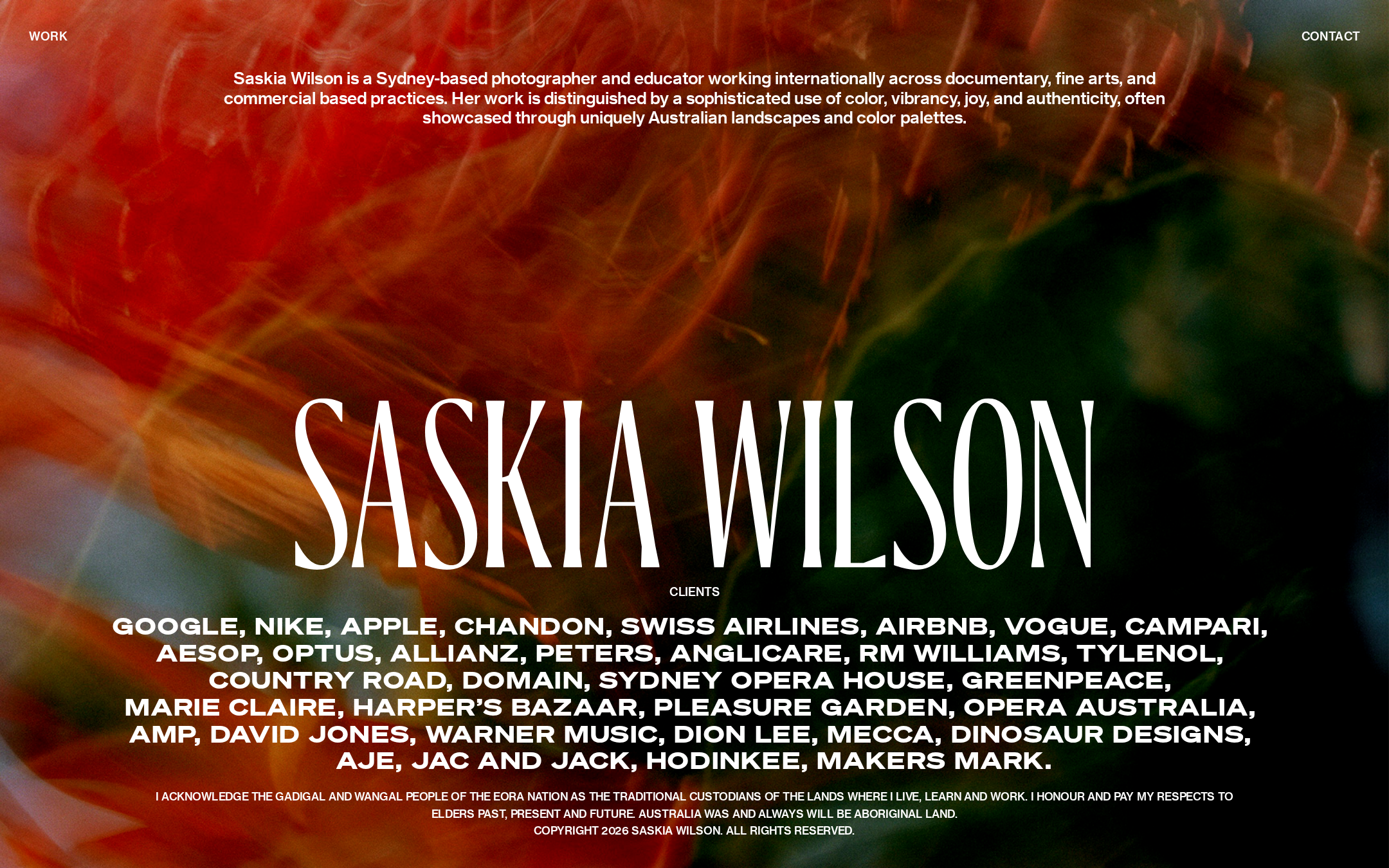
A distinctive, publishable portfolio homepage with an excellent visual point of view, held back by substantial text-contrast and semantic-structure issues.
Best practices
The page is visually coherent and presents clear work and contact entry points, but automated evidence identifies important accessibility and document-structure defects.
What works
- Clear separation between Work and Contact navigation.
- The photographer’s disciplines and professional positioning are visible without requiring a secondary page.
- The layout uses a consistent visual hierarchy and avoids unnecessary interface complexity.
Opportunities
- Resolve all reported contrast failures, particularly small text placed over the photographic background.
- Add a meaningful primary H1 and review heading semantics.
- Remove the duplicate SVG or DOM ID reported as #Page-1.
- Verify keyboard focus states, image alternatives, reduced-motion behavior, and mobile readability.
Design
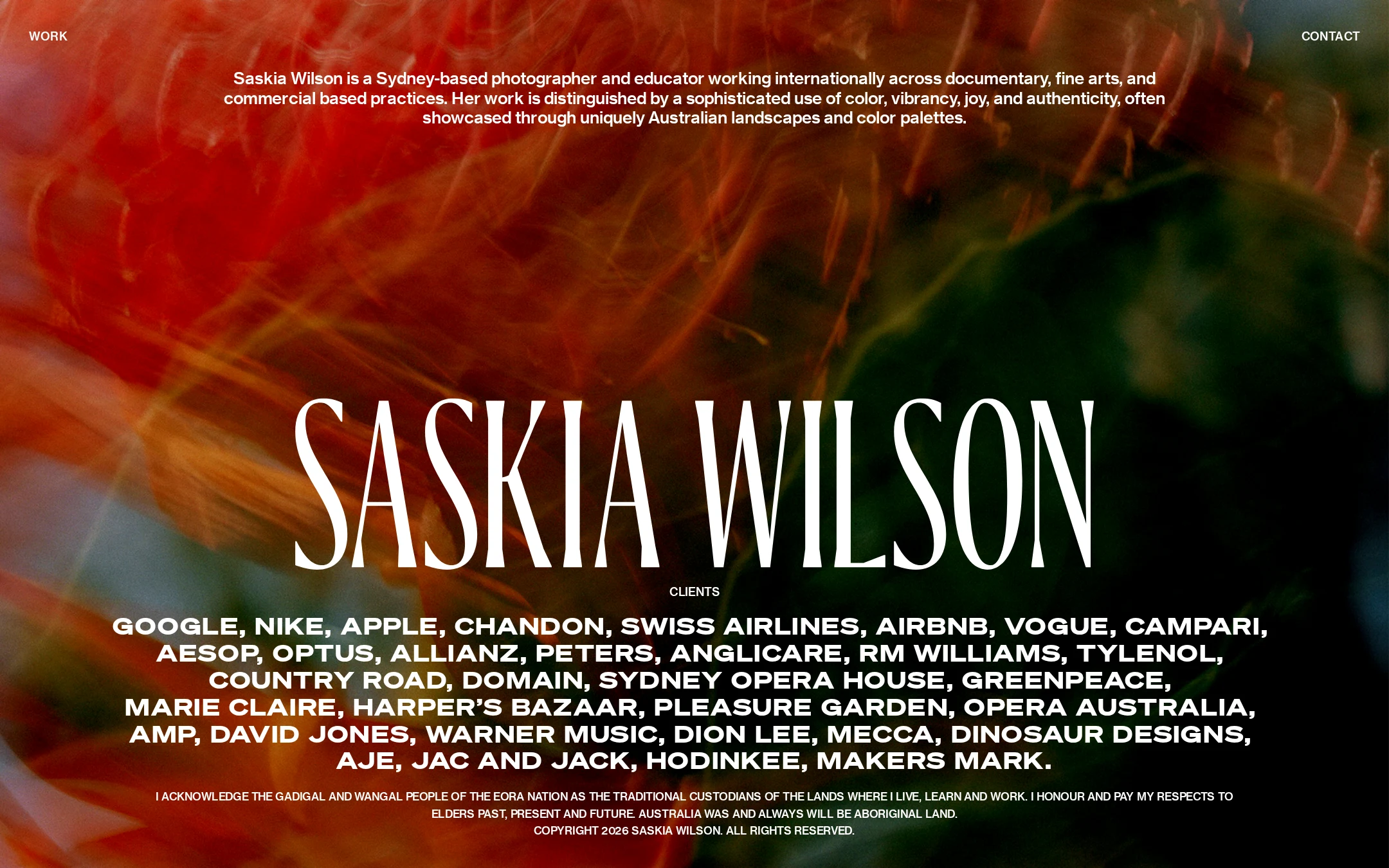
The homepage has a confident editorial art direction and makes the photographer’s identity immediately memorable.
What works
- The saturated image and oversized wordmark create a compelling first impression.
- Typography, image, and spacing work as one cohesive composition.
- The minimal navigation preserves attention for the visual work.
Opportunities
- Reduce the visual density of the client list on narrower screens.
- Consider a more controlled text treatment or overlay behind small supporting copy to preserve legibility across image variations.
- Provide an early glimpse of representative projects for visitors who need more than the homepage statement.
Uniqueness
The combination of abstract photographic atmosphere, extreme wordmark scale, and an unusually prominent client roll gives the page a recognizable voice.
What works
- The page feels authored rather than assembled from generic portfolio patterns.
- The image-led identity aligns closely with a photographer’s medium and color-focused positioning.
- The client list functions as part of the visual composition rather than a conventional logo grid.
Opportunities
- Make the project categorization or working methodology more distinctive on the Work path.
- Avoid relying primarily on scale and full-screen imagery as the sole differentiators across subsequent pages.
User experience
The main destinations are easy to identify, but content discovery and readability are weaker than the visual presentation.
What works
- Work and Contact are immediately available from the persistent header.
- The positioning statement gives visitors useful context at the top of the experience.
- The uncluttered structure reduces navigation overhead.
Opportunities
- Expose a clearer route into selected projects or disciplines from the homepage.
- Improve the scanability of the long client list with grouping, progressive disclosure, or a more legible responsive treatment.
- Test the layout with keyboard navigation and at multiple viewport sizes, since those behaviors are not established by the supplied evidence.
Conversion optimization
For a creative portfolio, the page communicates credibility and offers contact access, but it does not yet make the next project-oriented action especially explicit.
What works
- A prominent Contact link supports commission and collaboration inquiries.
- The recognizable client list provides strong social proof for commercial prospects.
- The top-level description quickly establishes the practitioner’s scope.
Opportunities
- Add a direct, descriptive invitation to view selected work rather than relying only on the Work navigation label.
- Clarify the distinction between documentary, fine-art, commercial, and education services on the next step.
- Make contact intent and expected response pathway more explicit for potential commissioners.
What we'd improve
- 01high
Repair text contrast over imagery
Audit all navigation, positioning, client-list, and footer text against the actual hero image states. Use a controlled overlay, alternate text color, or solid backing where needed, then retest at desktop and mobile widths.
- 02high
Correct document semantics
Add one meaningful H1 for the homepage identity or positioning statement, confirm a logical heading hierarchy, and remove the duplicate #Page-1 ID.
- 03medium
Strengthen the first project action
Add a visually integrated but explicit path to selected work so visitors can move from the introduction into representative projects without depending solely on the header.
- 04medium
Make the client list easier to scan
Group or progressively reveal the client names, and test line lengths, wrapping, and spacing on narrow screens while preserving its typographic character.
- 05low
Document motion and responsive states
Verify fade-in behavior with prefers-reduced-motion, keyboard focus visibility, image cropping, navigation behavior, and text legibility across viewport sizes.