Shot on iPhone in Black & White by Lorenzo Bocchi website analysis
A detailed critique of the homepage's craft, originality, usability, and ability to move visitors toward its intended goal.
Our observations
Publish. An unusually distinctive photography portfolio homepage with strong art direction, excellent tonal discipline, and a memorable spatial presentation. Its main opportunities are semantic hierarchy, accessibility of the canvas experience, and clearer contextual or contact pathways.
Best practices
The page demonstrates disciplined navigation, consistent controls, strong contrast in sampled elements, and a focused visual purpose. Structural semantics are less complete than the visual execution.
What works
- The navigation and viewing-mode controls are clearly grouped and visually consistent.
- The monochrome treatment produces a coherent, focused presentation for photographic work.
- The supplied accessibility metrics report no sampled contrast failures, duplicate IDs, or heading skips.
Opportunities
- Add a meaningful visible or visually hidden page heading describing the portfolio.
- Provide semantic alternatives and accessible labels for canvas-rendered imagery and presentation modes.
- Test focus states, keyboard navigation, narrow-screen controls, and reduced-motion behavior directly.
Design
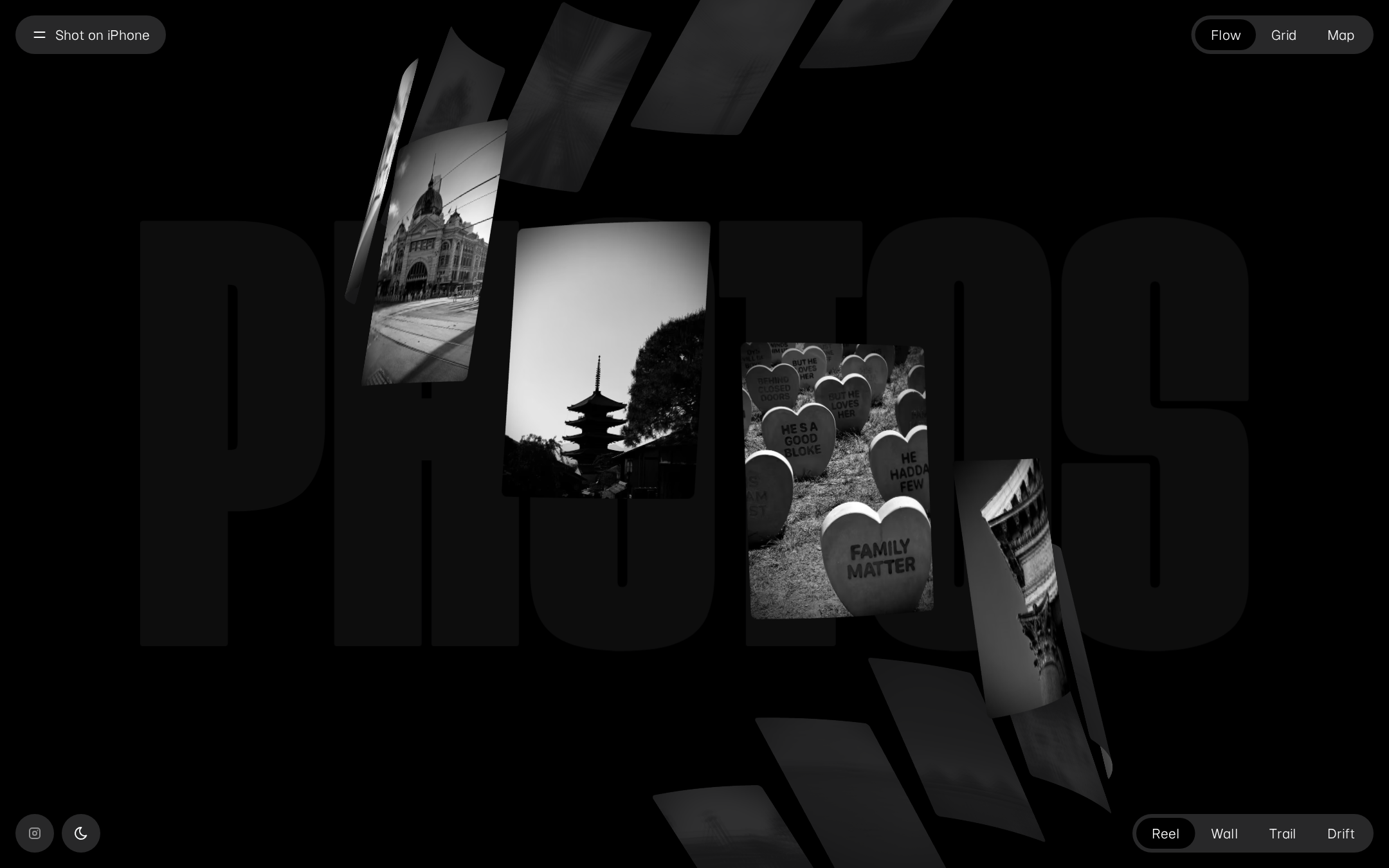
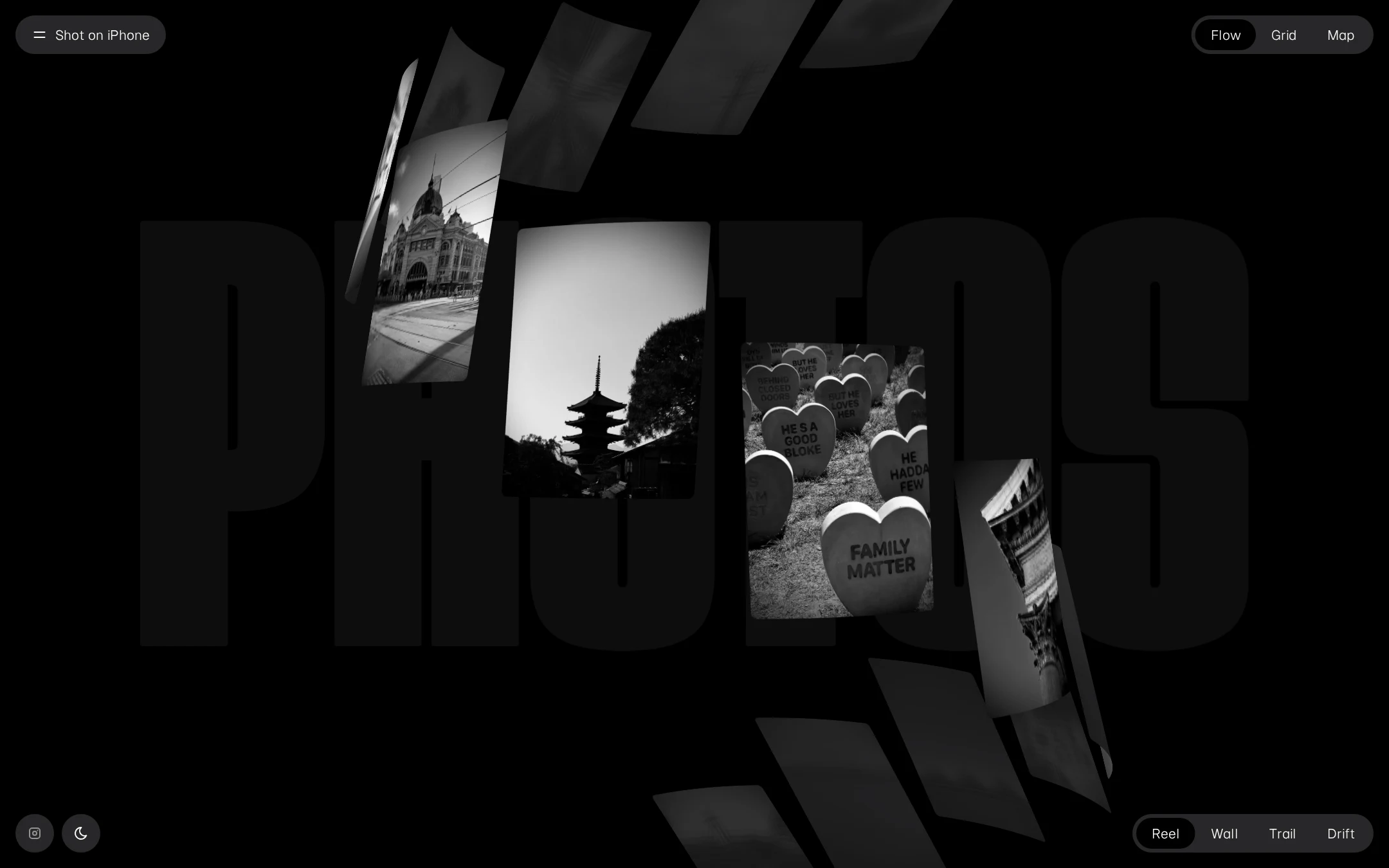
A highly resolved visual concept that turns a portfolio homepage into an atmospheric gallery environment. The relationship between oversized typography, floating images, and black space is exceptionally cohesive.
What works
- The black-and-white art direction directly supports the subject matter.
- The irregular spatial arrangement creates depth and avoids the generic feel of a masonry portfolio.
- The restrained control layer lets the photographs remain visually dominant.
- The typography functions as both identity and compositional structure.
Opportunities
- Improve the legibility and discoverability of supporting information without weakening the installation-like presentation.
- Consider a clearer first-view relationship between the title, the photographer’s identity, and the photographic work.
Uniqueness
The homepage has a strong authored point of view and stands apart from conventional photography portfolio templates. Its spatial, typographic treatment is distinctive without depending on color or ornamental UI.
What works
- The floating photographic planes and oversized background lettering create a recognizable signature.
- Multiple browsing modes suggest a considered relationship between archive and presentation.
- The presentation feels editorial and gallery-like rather than commercially templated.
Opportunities
- Make the photographer’s personal authorship and archive structure more explicit so the visual novelty is supported by equally distinctive editorial framing.
User experience
The visible controls suggest a rich browsing model, but the screenshot prioritizes atmosphere over orientation. The absence of a page heading and limited contextual information may make the experience less immediately understandable for first-time visitors.
What works
- Flow, Grid, and Map provide clear conceptual alternatives for exploring the work.
- Reel, Wall, Trail, and Drift offer a potentially engaging way to change the presentation.
- Theme controls and social access are placed in predictable peripheral positions.
Opportunities
- Add concise orientation text explaining what the collection contains and how the viewing modes differ.
- Expose image titles, places, dates, or captions in an accessible detail state.
- Ensure the canvas experience has a fully usable keyboard and screen-reader equivalent.
Conversion optimization
For a personal photo journal, the page succeeds at creating interest and encouraging exploration. It is less effective as a professional portfolio because no clear contact, commission, print, or collaboration pathway is visible in the supplied view.
What works
- The visual impact establishes a strong first impression and communicates photographic confidence.
- The About control can support deeper author context if its destination is comprehensive.
- The social link provides at least one route beyond the gallery.
Opportunities
- Add a discreet but persistent route to About, Contact, or collaboration information.
- Use the About or image-detail experience to clarify the photographer’s location, practice, and professional availability.
- Include a clear next step for visitors who want to inquire, follow the work, or license an image.
What we'd improve
- 01high
Add a semantic page heading and accessible gallery fallback
Introduce a meaningful H1 for the photographer and collection, then provide semantic image names, captions, and an accessible alternative to the canvas presentation. Preserve the visual composition while making the archive understandable without relying on spatial rendering.
- 02high
Provide a visible orientation and contact path
Add a concise introductory line or About panel that explains the journal and links to contact or collaboration information. Keep it visually quiet, but make the next step discoverable from the first view.
- 03medium
Clarify image metadata and mode behavior
Give each photograph a detail state with location, date, title, and optional caption, and explain the difference between the available viewing modes. This would turn visual exploration into a more legible archive.
- 04medium
Verify motion and interaction across devices
Test the animated canvas, fixed controls, keyboard focus order, reduced-motion preference, and touch behavior at mobile and tablet widths. Ensure images and controls remain reachable when the spatial layout changes.
- 05low
Strengthen authorship in the editorial layer
Use the About or landing state to add a small amount of biographical and photographic context so the strong visual signature is connected more directly to Lorenzo Bocchi’s practice.