Samuel Angibaud website analysis
A detailed critique of the homepage's craft, originality, usability, and ability to move visitors toward its intended goal.
Our observations
A strong, distinctive portfolio homepage with excellent visual restraint and a memorable split presentation. It merits inclusion, with semantic hierarchy and small-type legibility as the main areas for refinement.
Best practices
The page is visually coherent and technically uncluttered, but its semantic structure is weaker than its visual structure.
What works
- No contrast failures were detected across the supplied nine contrast samples.
- The navigation is compact and consistently positioned, with direct paths to the main portfolio areas.
- The composition avoids unnecessary interface decoration and keeps the portfolio work prominent.
Opportunities
- Add one semantic H1 that identifies the practitioner and/or portfolio purpose without changing the visual presentation.
- Confirm that every project image has meaningful alternative text and that linked image cards have accessible names.
- Verify focus states, keyboard order, and responsive navigation behavior outside the supplied screenshot.
Design
The visual system is exceptionally disciplined, using scale, contrast, and negative space to create a recognizable editorial portfolio experience.
What works
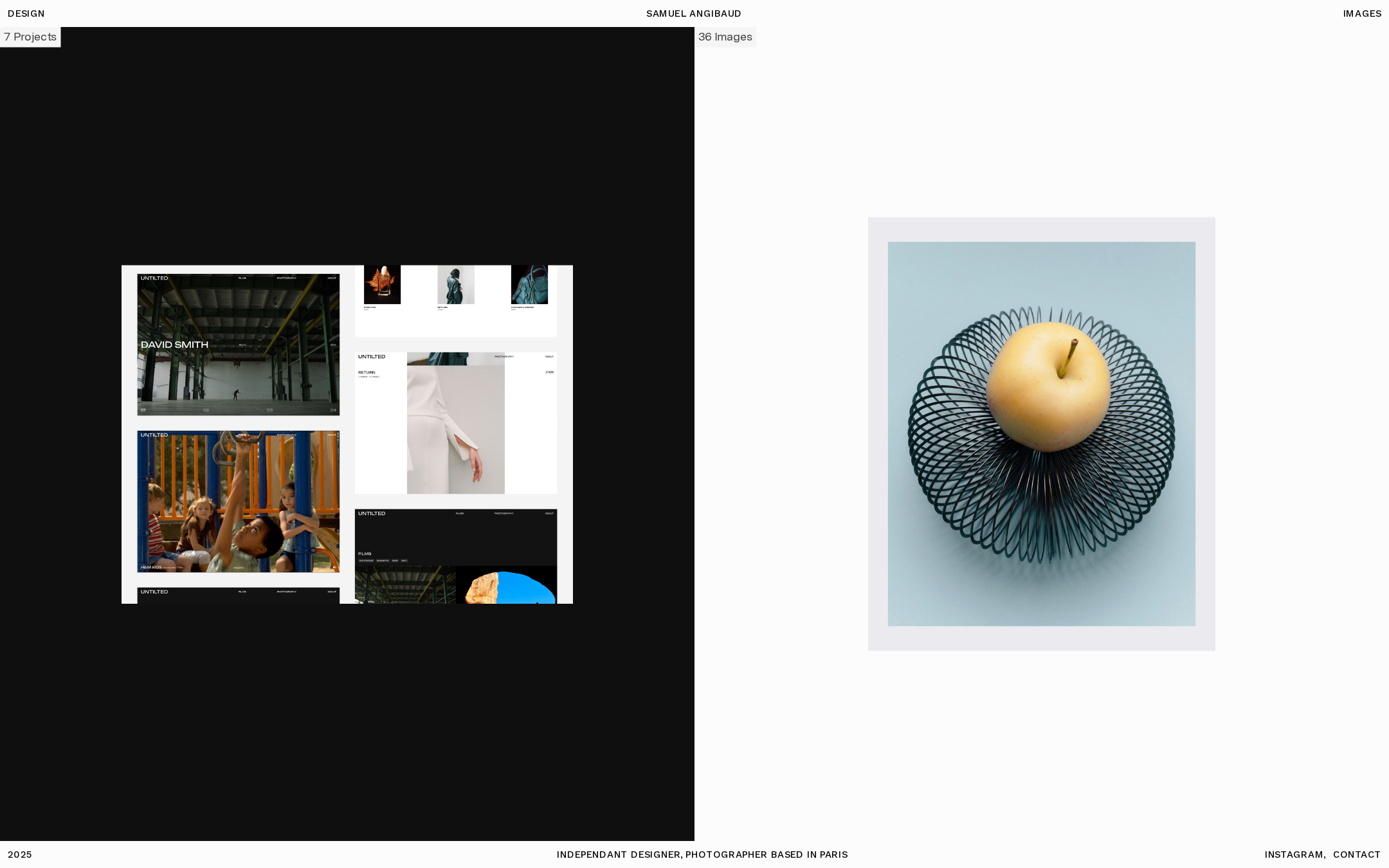
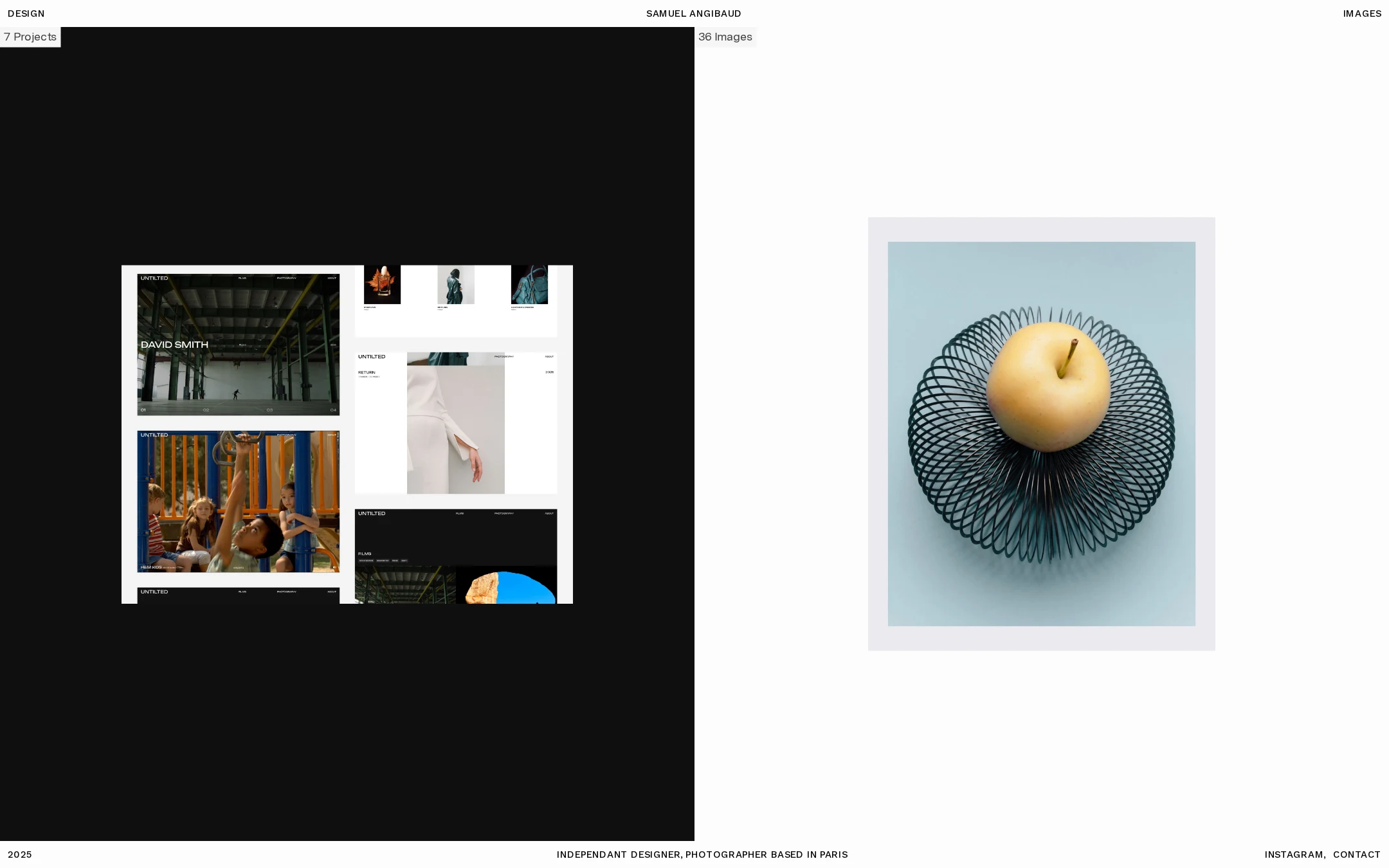
- The black/white division gives the homepage a clear conceptual structure and separates the two creative practices immediately.
- Project imagery is presented with generous breathing room, allowing individual compositions to retain impact.
- The restrained sans-serif typography and minimal metadata support the gallery-like tone.
Opportunities
- Increase the visual distinction of secondary labels where their small size makes them subordinate to the point of near-invisibility.
- Consider a subtle responsive cue or introductory line for first-time visitors who may not immediately understand the split structure.
Uniqueness
The combination of a two-practice split screen and minimal catalog-like labeling feels authored rather than template-driven.
What works
- The contrast between dark design presentation and light photography presentation is a strong positioning idea.
- The homepage treats the portfolio as an exhibition surface instead of a conventional marketing funnel.
- The sparse footer and edge-aligned metadata reinforce the author's independent, editorial identity.
Opportunities
- A short, original point of view about the practice could make the experience more memorable without compromising the minimal aesthetic.
- Project categorization or a stronger signature treatment could further distinguish the work if the portfolio expands.
User experience
The primary exploration paths are easy to locate, but the intentionally minimal interface places a high burden on visual interpretation.
What works
- The top-level destinations are immediately visible at the edges of the viewport.
- The page communicates that there are separate design and image bodies of work through both labels and composition.
- The lack of motion reduces distraction and avoids motion-related usability concerns in the observed state.
Opportunities
- Make the active section, project titles, or hover/focus feedback more explicit so users understand what is interactive.
- Test the layout at smaller widths to ensure the two-column concept does not reduce image legibility or create excessive scrolling.
- Provide a clearer introductory hierarchy for visitors who do not already know the creator's name.
Conversion optimization
For a visual portfolio whose primary goal is to generate interest and contact, the page succeeds through immediacy and visible contact access, but offers limited context for qualification.
What works
- Contact and social routes are visible without requiring users to search through the page.
- The work appears immediately, which supports a reputation- and inquiry-driven creative practice.
- The role and location context establish a concise professional frame.
Opportunities
- Add a concise statement of services, collaborations, or ideal project types near the opening view to help prospective clients self-qualify.
- Give selected projects slightly more context—such as client, discipline, or outcome—once users enter the work.
- Ensure the contact route has a clear action label and is easy to operate with keyboard and touch input.
What we'd improve
- 01high
Add a semantic H1 without changing the visual composition
Introduce one accessible H1 identifying Samuel Angibaud and the combined design/photography practice. Keep it visually integrated with the existing compact typography rather than adding a large new headline.
- 02high
Improve project accessibility and interaction feedback
Audit image alt text, accessible names for linked project cards, keyboard order, visible focus states, and hover/focus distinctions. The evidence confirms contrast samples but does not establish these interaction behaviors.
- 03medium
Clarify the professional offer
Add a short, plain-language introduction or service descriptor so potential collaborators understand what kinds of design and photography work are available before entering the project archive.
- 04medium
Validate responsive behavior across breakpoints
Test the split composition on narrow screens, including image crops, text size, navigation wrapping, footer access, and touch target spacing. The supplied evidence shows breakpoint variants but not their rendered results.
- 05low
Add lightweight project context
Expose selected project names, disciplines, collaborators, or dates in the browsing experience so the page remains editorial while becoming more useful to prospective clients and reviewers.