

Beci Orpin website analysis
A detailed critique of the homepage's craft, originality, usability, and ability to move visitors toward its intended goal.
Our observations
A highly original, gallery-worthy artist portfolio with a memorable collage language, held back by weak orientation and significant accessibility defects.
Best practices
The page has a coherent visual system and a single main landmark, but the supplied audit identifies substantial semantic and accessibility gaps.
What works
- A single main region and footer are present.
- The visual system is consistent across the long-form page.
- The page appears to support multiple media types and project formats.
Opportunities
- Add a descriptive h1 and an explicit introductory statement.
- Provide meaningful alternative text for the 23 reported images.
- Give carousel previous and next controls accessible names and visible focus states.
- Resolve the six reported contrast failures and audit the remaining decorative text and links.
Design
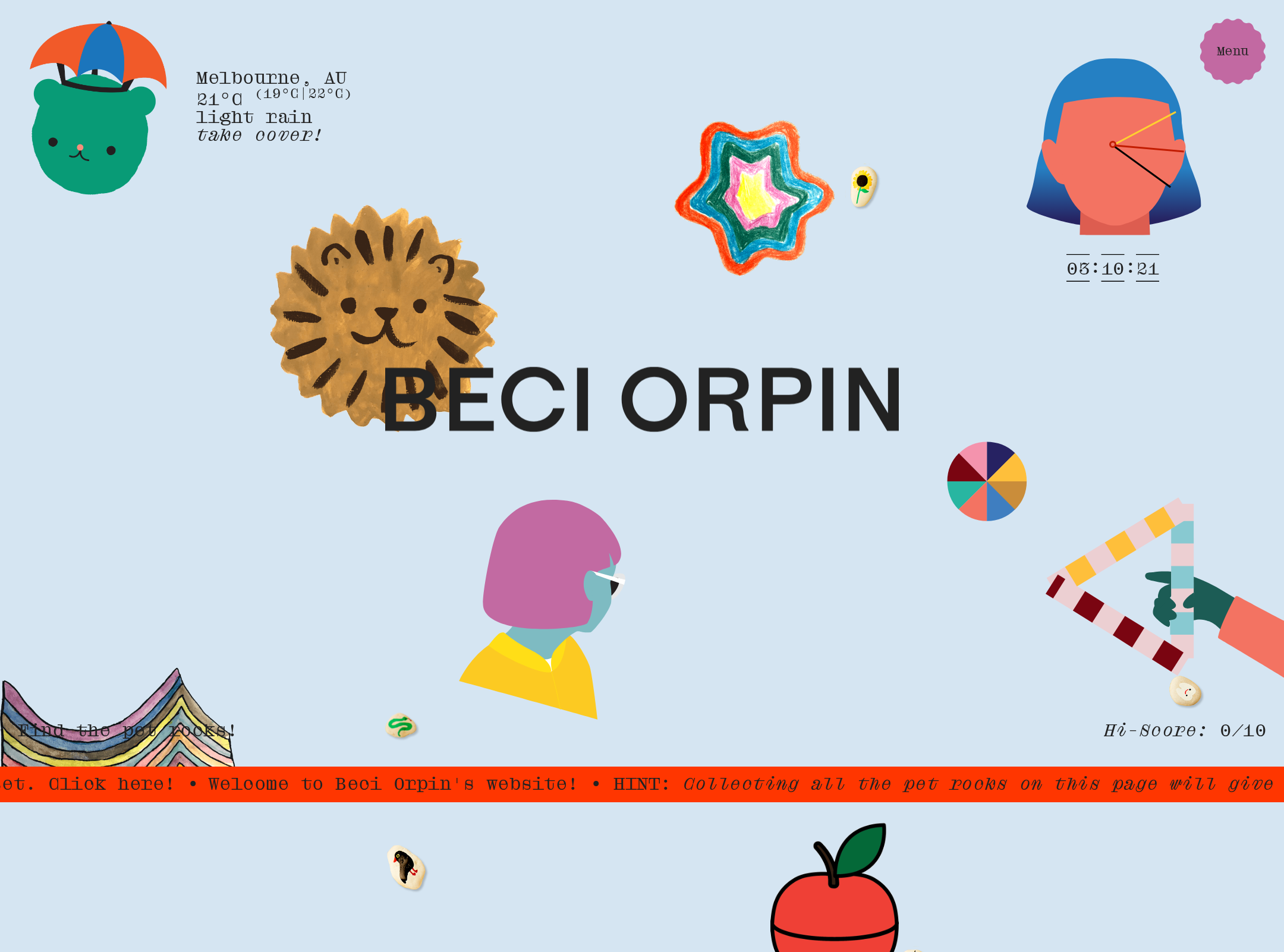
The design has a strong artistic identity, unusual composition, and a confident relationship between interface and portfolio content.
What works
- The collage-based composition is immediately recognizable and avoids generic portfolio patterns.
- The restrained monospaced typography lets the artwork remain visually dominant.
- Color-field changes create broad sectional rhythm across the very long page.
- Decorative objects and project imagery feel integrated rather than placed inside a standard card system.
Opportunities
- Establish stronger scale contrast between featured projects and supporting decoration.
- Use more consistent visual cues to distinguish interactive work samples from non-interactive ornaments.
- Reduce moments where small images and fragments become difficult to read or interpret.
Uniqueness
This is an unusually authored portfolio experience with a clear visual point of view and a strong connection to an illustrator-designer’s practice.
What works
- The page functions as a recognizable visual world rather than a neutral project directory.
- The scattered artifacts, shifting backgrounds, and mixed media create a distinctive studio-archive character.
- The interface language appears inseparable from the subject matter and authorial voice.
Opportunities
- Make the underlying project structure more legible without flattening the experimental art direction.
- Use a small number of recurring orientation cues so the experience remains distinctive but easier to revisit.
User experience
The visual exploration is engaging, but the long, sparse canvas and limited visible orientation make finding and understanding work difficult.
What works
- The extended scroll encourages browsing and serendipitous discovery.
- Project imagery is distributed across multiple visual contexts rather than presented as repetitive cards.
- The page appears to include carousels for deeper image exploration.
Opportunities
- Add persistent, accessible navigation or a project index.
- Introduce project names, categories, or short descriptions near major work groups.
- Provide a clear skip mechanism and predictable landmarks for keyboard and screen-reader users.
- Test the page at mobile widths, with touch input, and with reduced motion enabled.
Conversion optimization
For an artist portfolio, the page successfully communicates personality but does not make the next professional action sufficiently apparent from the supplied view.
What works
- The work is presented with enough visual variety to communicate a broad creative practice.
- The distinctive art direction can create strong recall for visitors already interested in the artist.
Opportunities
- Make contact, representation, commissions, or inquiry pathways visibly persistent.
- Add a concise positioning statement near the beginning of the page.
- Pair major project groups with clear titles and links to case-study or project detail views.
- Use the footer as a functional conclusion with named links rather than relying on decorative discovery.
What we'd improve
- 01high
Repair the documented accessibility defects
Add alternative text or explicitly mark purely decorative images, label every carousel control, name the footer link, correct the reported contrast failures, and introduce one descriptive h1.
- 02high
Add orientation without removing the collage
Create a compact persistent navigation or project index and use accessible section labels so visitors can understand where they are within the long page.
- 03high
Clarify the portfolio’s professional pathway
Place a short positioning statement and a persistent contact or inquiry action near the top and at the end of the experience.
- 04medium
Separate artwork from interface affordances
Use consistent link, hover, focus, and project-title treatments so visitors can tell which small elements open work and which are decorative.
- 05medium
Validate motion and responsive behavior
Test carousels, fixed elements, absolute-positioned artwork, touch targets, narrow layouts, and reduced-motion preferences across representative devices.