OGON.ES website analysis
A detailed critique of the homepage's craft, originality, usability, and ability to move visitors toward its intended goal.
Our observations
A visually distinctive, gallery-worthy creative portfolio homepage with strong art direction and a memorable media-led presentation. It is suitable for publication, with semantic and hierarchy improvements recommended before treating it as a best-in-class reference.
Best practices
The page has clear primary navigation, a single main region, strong media labeling, and no sampled contrast failures in the supplied automated checks. Semantic structure is less complete than the visual execution suggests.
What works
- Primary navigation is visible and consistently positioned.
- The page clearly communicates its creative-production purpose through the hero media and project metadata.
- Automated checks found no sampled contrast failures, duplicate IDs, or heading skips.
- The selected-work structure gives the homepage an understandable browsing model.
Opportunities
- Add a meaningful H1 that identifies OGON.ES and its core offering.
- Provide an accessible name for the unnamed link identified in the DOM.
- Validate text contrast across every photographic state, not only the supplied samples.
- Confirm keyboard focus visibility and usable focus order for project selectors, social links, and fullscreen controls.
Design
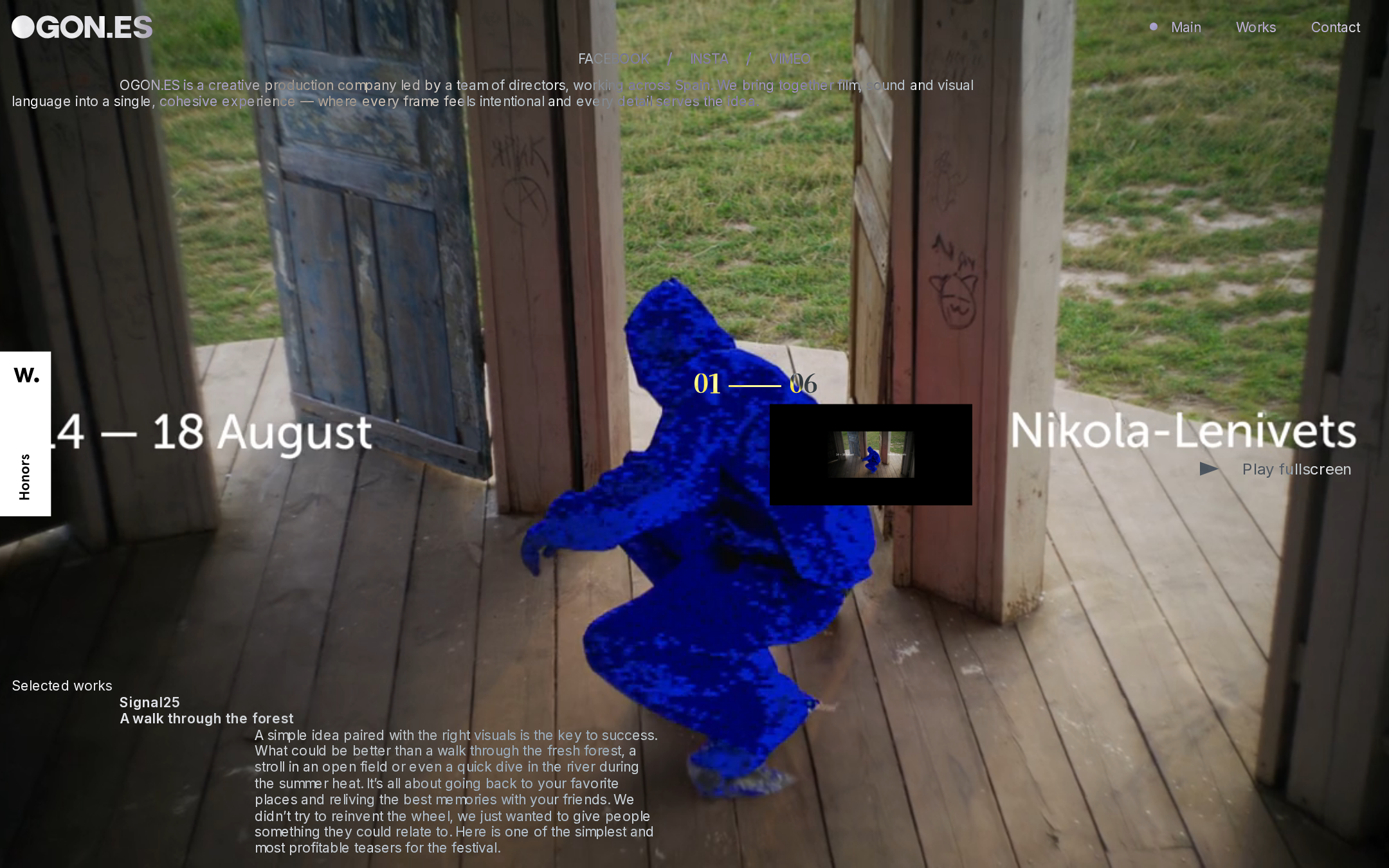
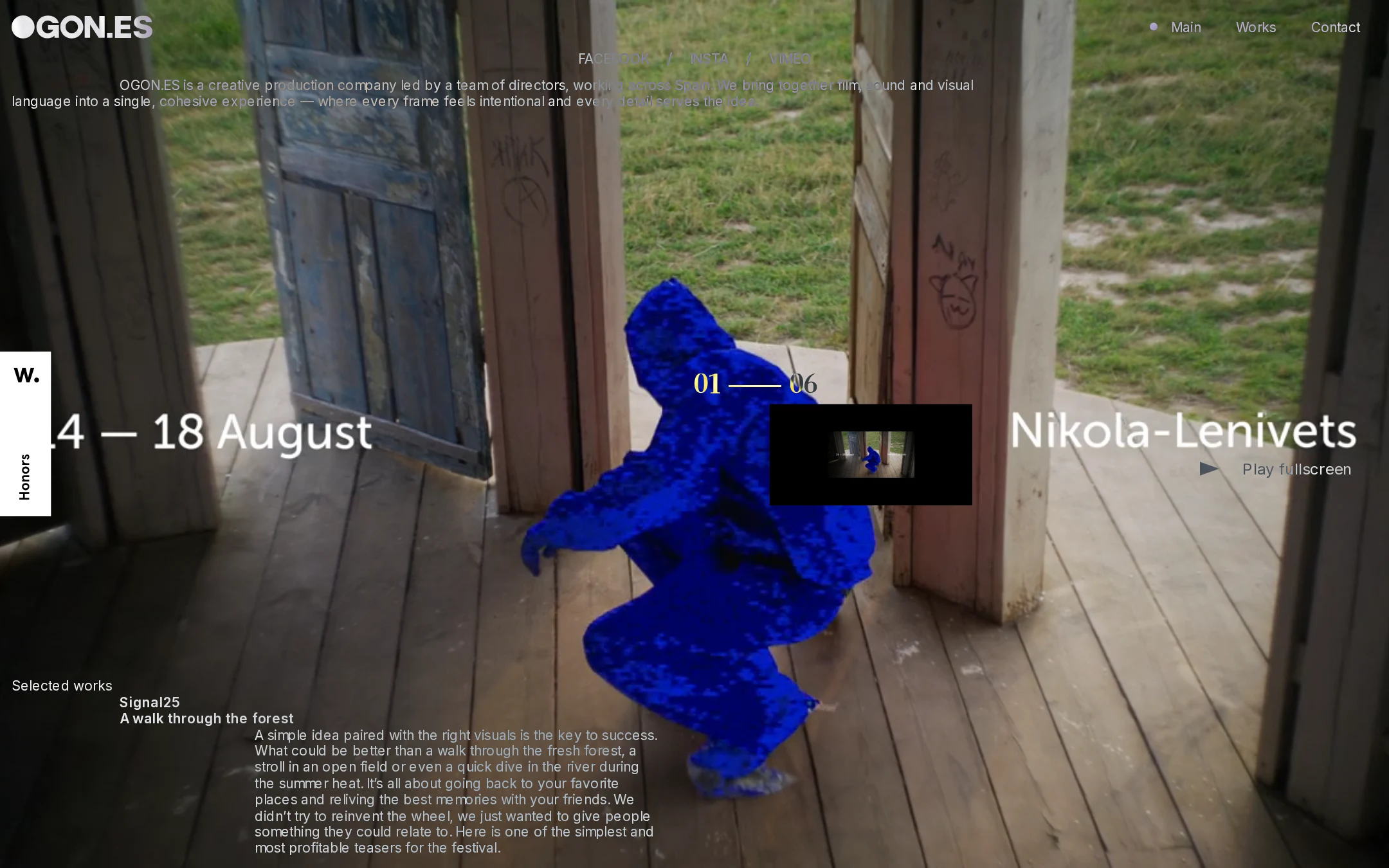
The homepage demonstrates exceptional visual confidence, using a restrained interface system to frame a highly expressive featured work. Its strongest quality is the balance between portfolio utility and cinematic atmosphere.
What works
- Full-screen imagery creates immediate emotional impact.
- The cobalt featured subject establishes a memorable focal point against muted surroundings.
- Large project typography and numbered navigation create a recognizable editorial composition.
- The black-and-white interface keeps the brand system coherent across changing media.
Opportunities
- Reduce competing overlay copy when the featured image is visually complex.
- Make the project title and playback action more clearly dominant at a glance.
- Test alternative text placements for images with light or highly detailed backgrounds.
Uniqueness
The presentation feels authored rather than template-led. The combination of a numbered work index, immersive stage, and restrained interface gives the agency a distinct portfolio character.
What works
- The homepage behaves more like a curated reel than a conventional services page.
- The contrast between quiet navigation and expressive work creates a strong signature.
- The project selector integrates editorial sequencing into the primary experience.
Opportunities
- Further differentiate the brand through a clearer point of view about the directors or production capabilities.
- Use project-specific metadata or credits to deepen the authorship without adding persistent clutter.
User experience
The page offers an understandable route through selected work, but the immersive overlay approach creates potential discoverability and readability costs. The supplied evidence confirms structure and controls, but not successful interaction or mobile behavior.
What works
- Works are exposed through clearly numbered controls and named project entries.
- The header provides direct access to Main, Works, and Contact.
- A fullscreen playback affordance supports the media-centric purpose.
Opportunities
- Add explicit accessible labels and state announcements for active project buttons.
- Ensure the selected-work description remains readable over every media layer.
- Provide a less media-dependent fallback for users with motion, bandwidth, or autoplay limitations.
- Verify that the dense desktop composition becomes a clear vertical sequence on mobile.
Conversion optimization
For a production company, the homepage successfully sells taste and capability through work quality, but it provides less direct evidence of how a prospective client should begin a conversation. Contact is present, though the work-first hierarchy may delay that action.
What works
- The featured work communicates creative quality faster than a long agency introduction would.
- Contact is visible in the primary navigation.
- Project names and descriptive copy provide context beyond an unlabeled reel.
Opportunities
- Add a concise, persistent invitation for commissioning or production inquiries.
- Expose director, service, or client context within each project detail view.
- Make the Contact action more visually distinct without undermining the editorial restraint.
- Clarify whether the social links are secondary discovery channels or part of the conversion path.
What we'd improve
- 01high
Repair semantic heading and link labeling
Add a meaningful H1 for the homepage’s agency proposition and an accessible name to the unnamed link detected in the document. Preserve the visual layout while improving screen-reader orientation.
- 02high
Strengthen overlay readability across media states
Audit every project image and transition state for text legibility. Use adaptive scrims, localized backing, or responsive repositioning where the photography makes project titles or descriptions difficult to read.
- 03high
Define an accessible project-switching model
Expose the active project state to assistive technology, provide descriptive labels for each selector, and ensure keyboard users can move between works without relying on visual transitions.
- 04medium
Clarify the primary inquiry path
Give Contact or commissioning inquiries a slightly stronger visual and editorial role, particularly after the featured work has established credibility.
- 05medium
Validate narrow-screen composition and reduced-motion behavior
Test the full-stage overlays, project index, descriptive copy, and fullscreen control at mobile widths, and provide a calmer media transition or static fallback when reduced motion is requested.