Studio Emmerer website analysis
A detailed critique of the homepage's craft, originality, usability, and ability to move visitors toward its intended goal.
Our observations
A strong, distinctive architecture portfolio with an unusually effective project index, held back by semantic and accessibility implementation issues.
Best practices
The page has a clear information architecture and explicit carousel controls, but automated evidence identifies meaningful structural and accessibility defects.
What works
- The practice introduction, navigation, featured content, and project archive are visibly distinct.
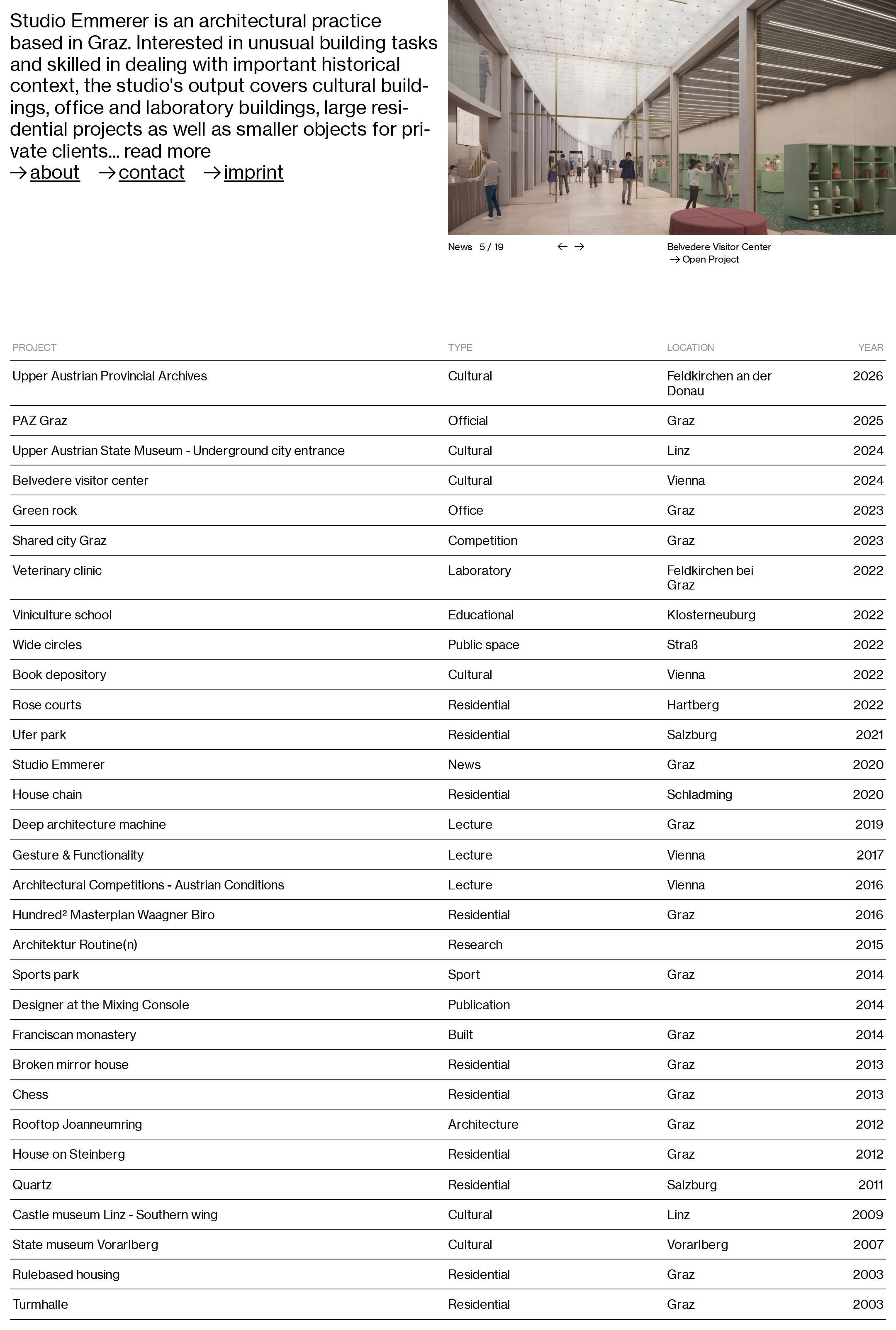
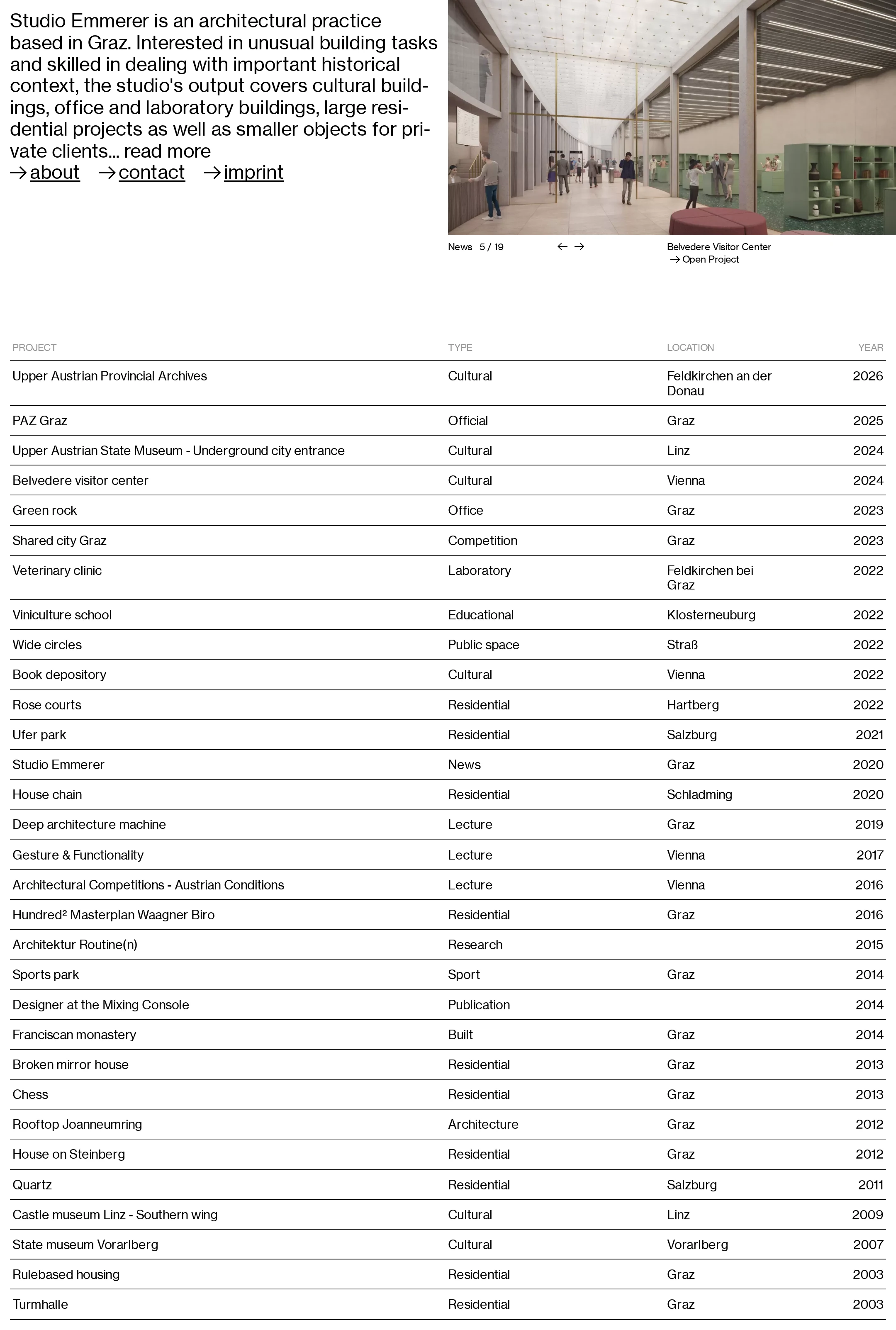
- Project rows expose useful metadata—type, location, and year—without requiring users to open each item.
- The carousel includes labeled Previous slide and Next slide controls.
- The restrained layout avoids unnecessary visual effects and keeps the core content prominent.
Opportunities
- Add a single descriptive H1 to establish the page’s primary heading for assistive technology and document structure.
- Resolve the 30 duplicate-ID instances, which can interfere with labels, anchors, and scripted interactions.
- Address the four detected text-contrast failures in the index header controls.
- Verify keyboard focus visibility, image alternative text, carousel announcements, and touch-target sizing; these are not established by the supplied evidence.
Design
A confident and coherent visual system that translates architectural precision into a highly legible editorial interface.
What works
- The split introduction creates an immediate balance between point of view and built work.
- The large grotesk type, generous white space, and repeated rules establish a recognizable studio voice.
- The project index is exceptionally direct and visually consistent across a large body of work.
- Architectural imagery is given enough scale to function as the principal visual anchor.
Opportunities
- The long middle transition between the opening panel and project index creates substantial unused space at the captured viewport size.
- The repeated ruled rows become visually monotonous over time; selective imagery, grouping, or subtle status distinctions could improve wayfinding without compromising restraint.
- The featured image caption and carousel controls could be given a stronger visual relationship to the image for faster comprehension.
Uniqueness
The combination of an expansive architectural archive and an almost database-like editorial index gives the page a clear identity beyond a conventional studio landing page.
What works
- The page foregrounds the breadth and chronology of the practice instead of relying only on a few case-study tiles.
- The four-column index treats project metadata as a primary design element rather than secondary utility copy.
- The austere monochrome treatment feels aligned with the studio’s architectural subject matter.
Opportunities
- The typographic language is intentionally restrained and draws on familiar modernist editorial conventions; a more singular treatment of project categories or image transitions could increase memorability.
- The opening statement could make the studio’s point of view more visually distinctive while preserving the current clarity.
User experience
The page supports quick scanning and direct project discovery, although the dense archive and unresolved implementation issues may reduce accessibility and orientation.
What works
- Visitors can reach About, Contact, and Imprint directly from the prominent opening navigation.
- Project titles and metadata are aligned consistently, supporting rapid comparison across years and locations.
- The featured news area provides a visual entry point before the more utilitarian archive.
Opportunities
- Introduce clearer grouping, filtering feedback, or an index count so users can orient themselves within the long project list.
- Ensure project rows communicate their interactive state through focus, hover, and selected-state styling.
- Test long project names and multi-line locations at narrow widths; the screenshot does not verify how the grid behaves responsively.
- Provide a more explicit accessible name and status announcement for the current carousel slide.
Conversion optimization
For an architecture practice, the homepage effectively establishes credibility and exposes contact access, but it could guide prospective clients more deliberately toward relevant work and inquiry.
What works
- The opening copy immediately identifies the practice, location, disciplines, and range of project scales.
- Contact is placed in the primary navigation rather than buried in the archive.
- The extensive project list communicates experience across cultural, residential, office, educational, and research work.
Opportunities
- Add a clearer inquiry pathway after the introductory statement or at the end of the archive, especially for prospective clients arriving on the homepage.
- Use project detail pages or index states to surface role, status, collaborators, and outcomes where relevant; these decision-making details are not visible in the screenshot.
- Make the featured item’s relationship to current news or selected work more explicit than the small News label currently provides.
What we'd improve
- 01high
Repair document structure and duplicate identifiers
Add one descriptive H1 for the practice or homepage and replace every repeated project and preview ID with a unique value. Re-test labels, anchors, carousel references, and assistive-technology navigation after the change.
- 02high
Correct index-header contrast
Increase the contrast of the gray sorting and column-label text against the white background, then re-run contrast checks across normal, hover, focus, and disabled states.
- 03high
Audit the interactive carousel
Give the carousel a clear accessible name, expose the current slide and total count programmatically, provide meaningful image alternatives, and verify keyboard, touch, focus, and reduced-motion behavior.
- 04medium
Strengthen archive wayfinding
Add an unobtrusive project count and consider grouping or filtering feedback for type, location, or year so the long index remains navigable without weakening its editorial simplicity.
- 05medium
Clarify the inquiry journey
Add a contextual contact prompt near the practice statement or after the project archive, with a concise indication of the kinds of commissions or collaborations the studio welcomes.
- 06low
Reduce visual monotony in the archive
Test restrained grouping, alternating metadata emphasis, or occasional project thumbnails to create rhythm while preserving the current black-and-white, information-first character.