Oto Nove Fest by Studio Khi website analysis
A detailed critique of the homepage's craft, originality, usability, and ability to move visitors toward its intended goal.
Our observations
A compelling and original festival landing page with a strong visual signature, held back by weak above-the-fold information hierarchy and documented accessibility issues.
Best practices
The page demonstrates careful visual consistency and clear primary branding, but semantic and accessibility fundamentals need attention.
What works
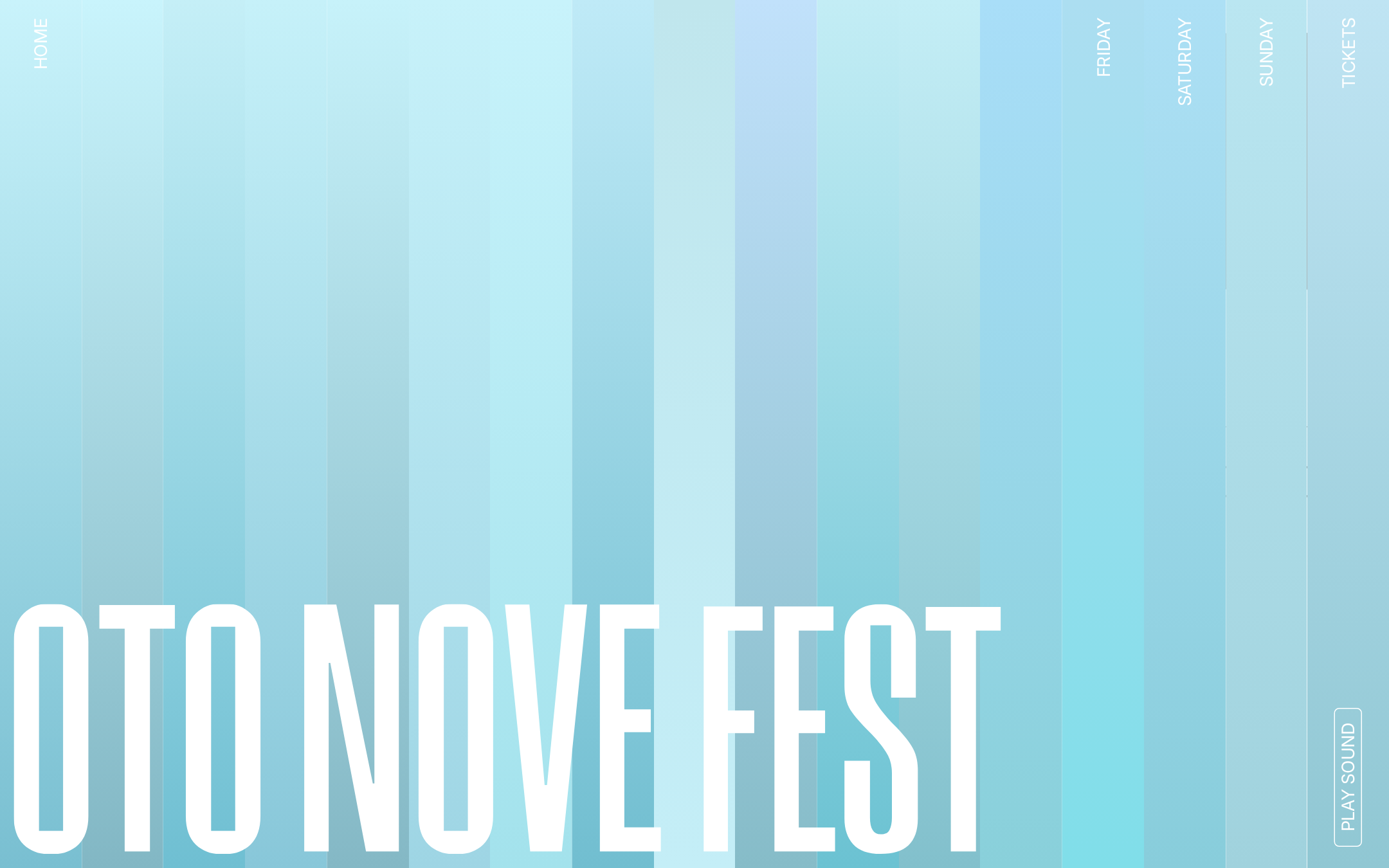
- The event name is immediately identifiable through dominant type.
- The navigation exposes core destinations including festival days, tickets, and sound.
- The palette, grid, and border language are consistently applied.
- No duplicate IDs or heading skips were detected in the supplied checks.
Opportunities
- Add a semantic H1 and a main landmark that reflect the visible festival title and page structure.
- Improve contrast for the six flagged text samples, especially white labels over lighter blue bands.
- Verify that rotated navigation remains understandable to screen readers and keyboard users.
- Confirm that all navigation and ticket controls have accessible names and usable focus states.
Design
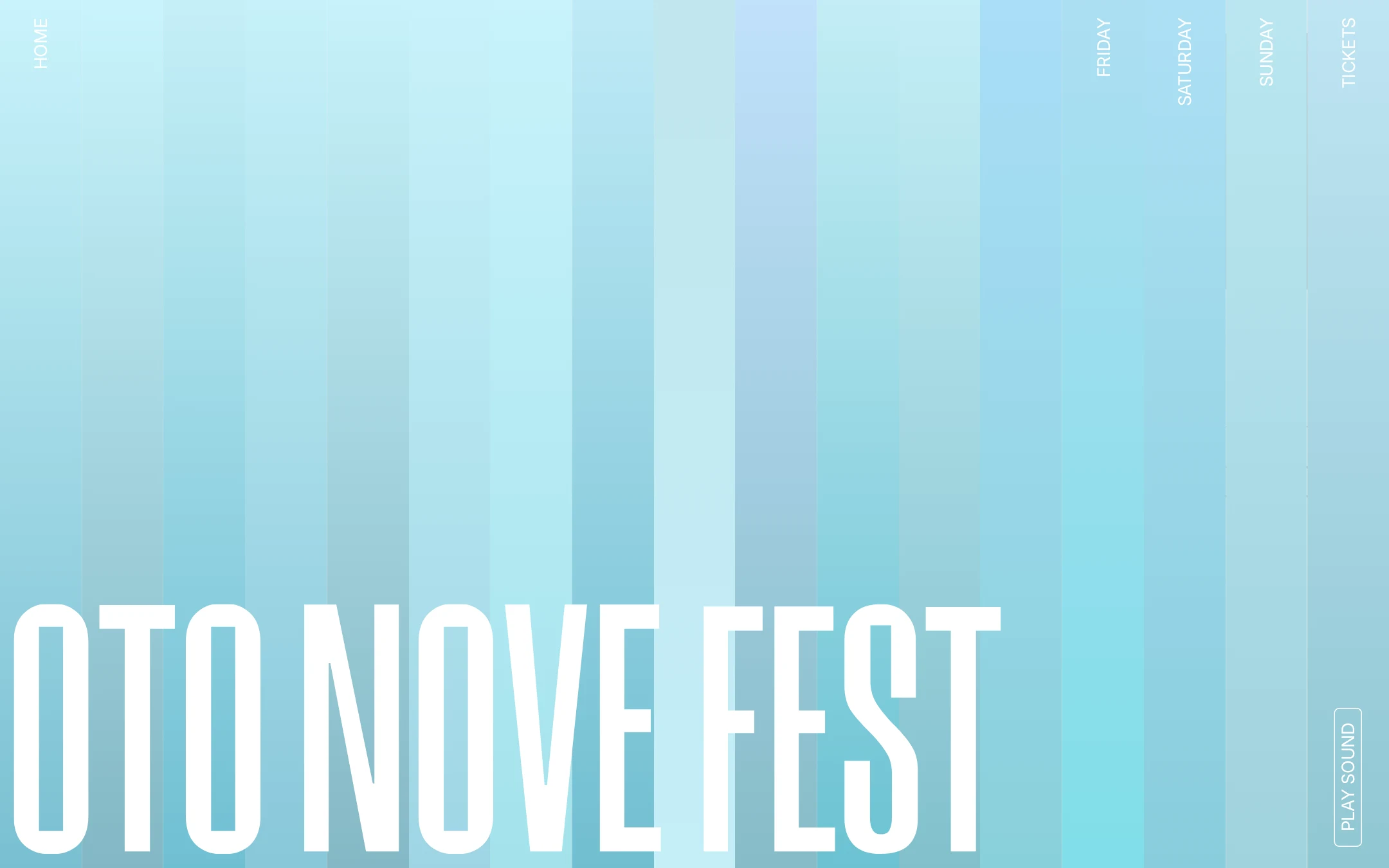
The composition is highly art-directed and memorable, with an effective balance between sparse space, oversized type, and atmospheric color.
What works
- The vertical band system creates a distinctive visual identity without relying on dense decoration.
- The oversized title establishes a clear focal point and strong event-brand presence.
- Rotated perimeter labels add editorial character and reinforce the spatial concept.
- The restrained cyan-to-blue palette supports a coherent festival mood.
Opportunities
- Introduce a secondary information layer so the visual opening also communicates the event proposition.
- Ensure the title remains legible and proportionate across shorter and narrower screens.
- Use contrast-safe variations of the blue bands where utility labels overlap them.
Uniqueness
The homepage has a clear point of view and avoids the generic card-based patterns common in event sites.
What works
- The 17-column vertical composition gives the page a recognizable structural idea.
- The relationship between the oversized wordmark and rotated navigation feels bespoke.
- The visual system is cohesive enough to function as a complete event identity.
Opportunities
- Extend the same conceptual logic into lineup, venue, and ticket information without allowing the experiment to obscure essential details.
- Create a more explicit visual distinction between identity elements and interactive controls.
User experience
The interface appears navigable, but the opening frame prioritizes atmosphere over orientation and practical event discovery.
What works
- Home, day-based navigation, tickets, and sound controls are visible in the supplied screenshot.
- The sparse layout reduces visual clutter and makes the title easy to recognize.
- Sticky and fixed structures in the DOM suggest attention to persistent utility.
Opportunities
- Surface event dates, location, lineup status, or a concise introductory statement in the initial viewport.
- Make the active page and current festival day unmistakable.
- Test keyboard navigation, focus visibility, touch sizing, and screen-reader reading order.
- Provide a clear non-audio path for any sound-related experience.
Conversion optimization
For a festival homepage, the brand impression is strong and ticket access is present, but the path from discovery to purchase is not sufficiently explicit in the first view.
What works
- Tickets are given a dedicated navigation destination rather than being buried in the page.
- The strong visual identity can build anticipation and memorability.
- Day labels create an intuitive route toward schedule exploration.
Opportunities
- Add a prominent, contrast-safe ticket call to action with a short value cue such as dates or availability.
- Pair the hero title with essential event facts so visitors can decide whether to continue.
- Repeat ticket access after key content sections and clarify whether day labels lead to schedules, artists, or tickets.
- Use link and button states that clearly communicate interactivity without depending solely on motion.
What we'd improve
- 01high
Repair contrast and semantic hierarchy
Address all six automated contrast failures, add one meaningful H1, and establish a main landmark while preserving the visual composition.
- 02high
Strengthen the first-viewport information layer
Add concise, prominent event dates, location, and a clear ticket action near the title so the opening view communicates both identity and purpose.
- 03medium
Validate responsive and keyboard behavior
Test the 17-column concept at mobile widths, including rotated labels, title cropping, focus order, touch targets, and persistent ticket access.
- 04medium
Clarify interactive states
Make active navigation, hover, focus, and ticket-link states visually distinct and understandable without relying on transitions alone.
- 05low
Make the sound control inclusive
Keep sound optional, provide an accessible label and visible state, and ensure the experience remains complete when audio is disabled.