digitalsolitude website analysis
A detailed critique of the homepage's craft, originality, usability, and ability to move visitors toward its intended goal.
Our observations
A highly original and visually disciplined web-art homepage. It is suitable for publication, with minor accessibility and responsive-behavior refinements recommended.
Best practices
The page is focused, readable, and technically restrained, with strong contrast results and a clear single-purpose structure. Semantic and motion-accessibility details keep it from scoring higher.
What works
- One clear page concept with little visual noise
- Strong monochrome contrast in the sampled elements
- A coherent hierarchy from title to artwork, explanation, and footer
- No unnecessary media, decorative effects, or competing calls to action
Opportunities
- Add a lang attribute to the document
- Repair the heading sequence so the explanatory heading follows the page hierarchy
- Provide an explicit reduced-motion alternative for the detected pulse animation
- Confirm that the live status indicator is announced appropriately without repeatedly interrupting screen readers
Design
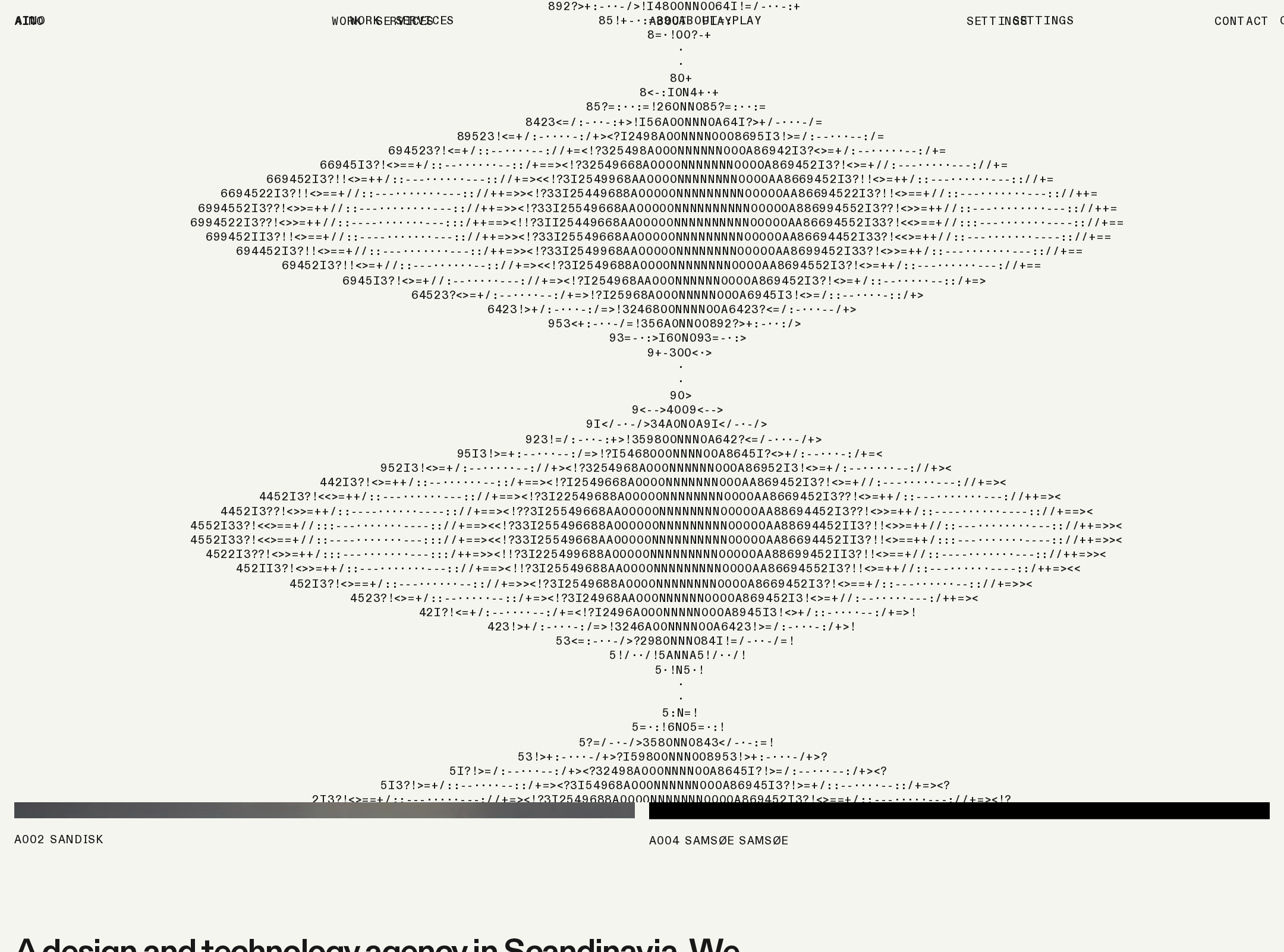
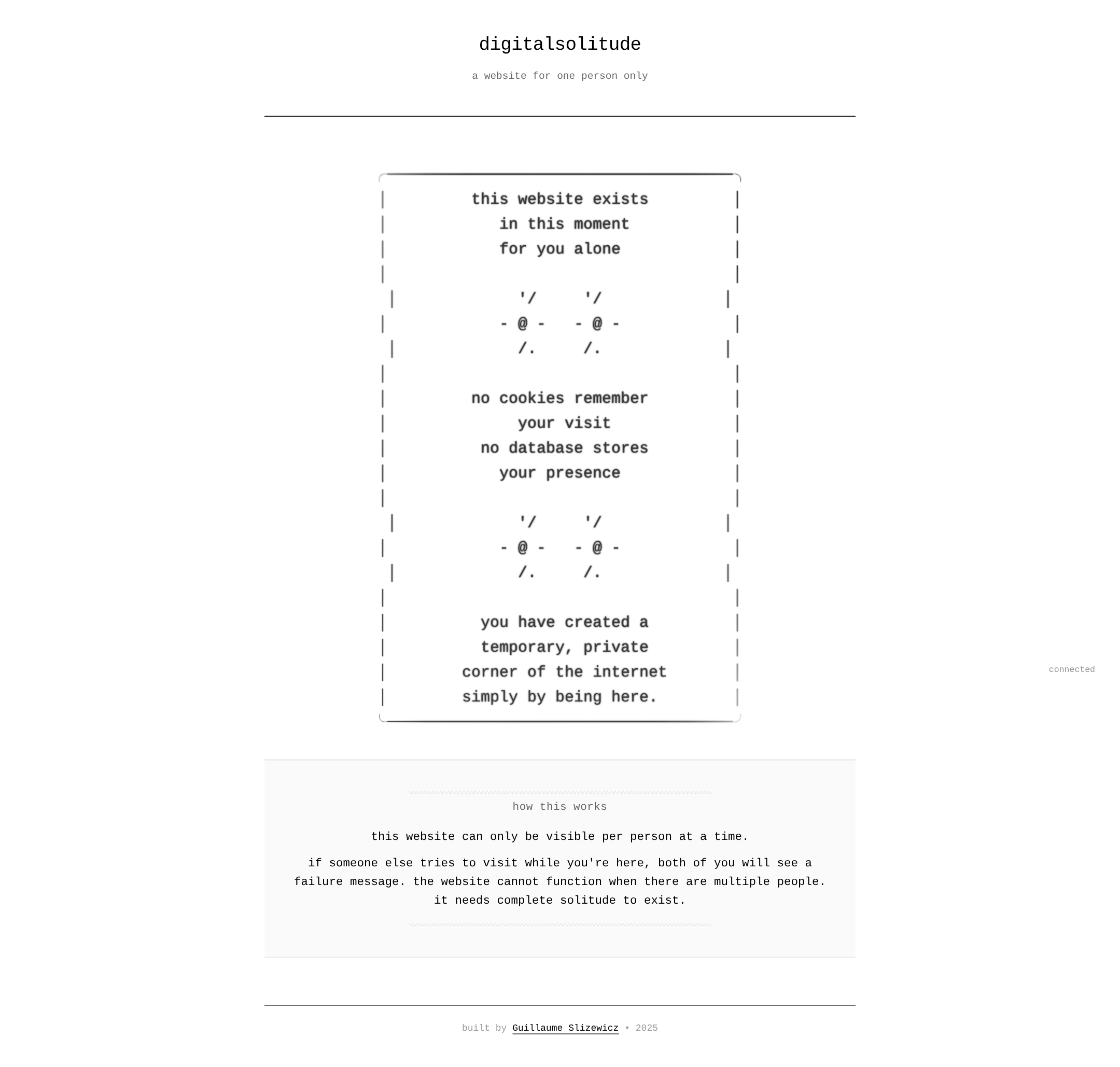
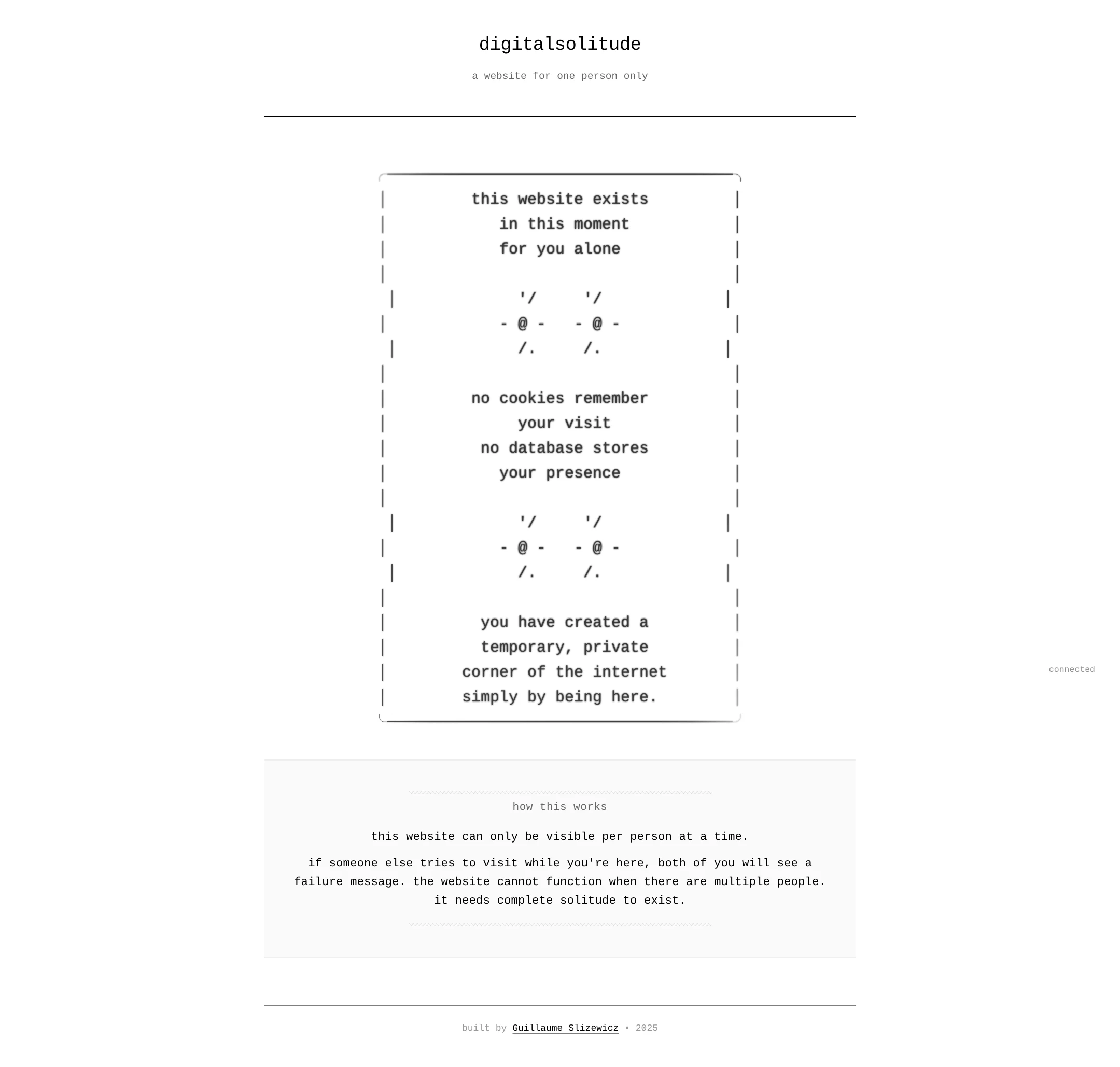
The design is exceptionally consistent and uses typography, negative space, and ASCII construction as a unified art direction. The sparse composition feels authored and intentional.
What works
- Distinctive text-based artwork rather than a generic hero graphic
- Excellent restraint in color, ornament, and component count
- Strong alignment and pacing across the page
- The central panel creates a memorable visual signature
Opportunities
- Improve the visual distinction between secondary text and very light interface details without losing the quiet tone
- Ensure the artwork remains legible when scaled or viewed on smaller displays
- Consider a slightly clearer transition between the main experience and supporting explanation
Uniqueness
The single-visitor premise and ASCII-driven presentation create a rare, recognizable web experience. Its originality comes from the relationship between the concept and the interface mechanics, not from novelty effects.
What works
- A clear conceptual link between privacy, presence, and page behavior
- Custom monospace artwork gives the page an individual voice
- Avoids common startup, portfolio, and editorial templates
- Minimalism is used as subject matter rather than merely as decoration
Opportunities
- Make the interactive state changes more legible to visitors who arrive without context
- Offer a concise accessible description of the ASCII artwork so the concept is not dependent on visual inspection alone
User experience
The page is easy to scan and understand at the displayed desktop size, but its success depends on visitors recognizing the live-state behavior and receiving equivalent feedback across devices and assistive technologies.
What works
- Immediate orientation through a prominent title and short descriptor
- A predictable vertical reading order
- Supporting explanation is placed after the main experience rather than interrupting it
- The status indicator communicates that the page has a live connection state
Opportunities
- Explain the current connection state in semantic, accessible text rather than relying primarily on a small fixed label
- Test the layered artwork at phone widths for clipping, overflow, and excessive vertical scrolling
- Ensure failure or unavailable states provide a clear next step
- Check keyboard focus visibility if the footer or any live controls become interactive
Conversion optimization
For an experimental web-art page, conversion is best understood as successful entry, comprehension, and completion of the experience rather than a sale or lead. The page creates curiosity effectively, though the interaction promise could be made more explicit.
What works
- The unusual premise is visible immediately
- The composition keeps attention on one experience
- The explanatory section reduces ambiguity after the central artwork
- The footer provides authorship without competing with the work
Opportunities
- Clarify the visitor's expected action or waiting state near the primary experience
- Make the live availability state more prominent when the experience cannot be entered
- Add a low-friction accessible fallback for visitors who cannot perceive the animation or ASCII presentation
- Use a concise page title and description in metadata to improve discovery without changing the minimalist surface
What we'd improve
- 01high
Correct document semantics and accessibility structure
Declare the document language and replace the skipped level-three heading with a heading that follows the actual page hierarchy. Re-test the resulting landmark and heading structure with assistive technology.
- 02high
Audit the live state and failure messaging
Expose connection and availability changes through a semantically appropriate status mechanism, with clear text for both the available and unavailable states. Avoid repeated announcements during pulse updates.
- 03high
Add reduced-motion behavior
Respect prefers-reduced-motion by removing or simplifying the pulse animation while preserving the same information through static styling or text.
- 04medium
Test the ASCII composition on narrow screens
Verify that the layered preformatted artwork does not clip, overlap, or create unintended horizontal scrolling at mobile widths. Provide a readable fallback or controlled overflow treatment if necessary.
- 05medium
Strengthen nonvisual interpretation
Add an accessible description or equivalent text for the central ASCII artwork and make sure the conceptual message remains understandable without relying on its visual arrangement.
- 06low
Improve discoverability metadata
Supply a concise, original meta description that explains the page as an experimental single-visitor web-art experience without overpromising behavior.