Christopher Doyle & Co website analysis
A detailed critique of the homepage's craft, originality, usability, and ability to move visitors toward its intended goal.
Our observations
A distinctive and visually accomplished creative-studio homepage with strong typographic authorship, held back by weak semantic accessibility evidence and limited visible project context.
Best practices
The page has a clear navigation structure, strong contrast samples, and a consistent visual system, but core semantic and assistive-technology details are incomplete.
What works
- Contrast testing reported no sampled failures.
- Navigation, content, and footer are clearly separated in the page structure.
- The restrained palette and consistent typography create a coherent visual hierarchy.
Opportunities
- Add a meaningful H1 that identifies the studio or page purpose.
- Provide descriptive alternative text for the slideshow images, or mark purely decorative images appropriately.
- Give each linked slideshow item an accessible name and label the email control.
- Confirm that the fixed navigation and layered slideshow remain usable with keyboard navigation and zoom.
Design
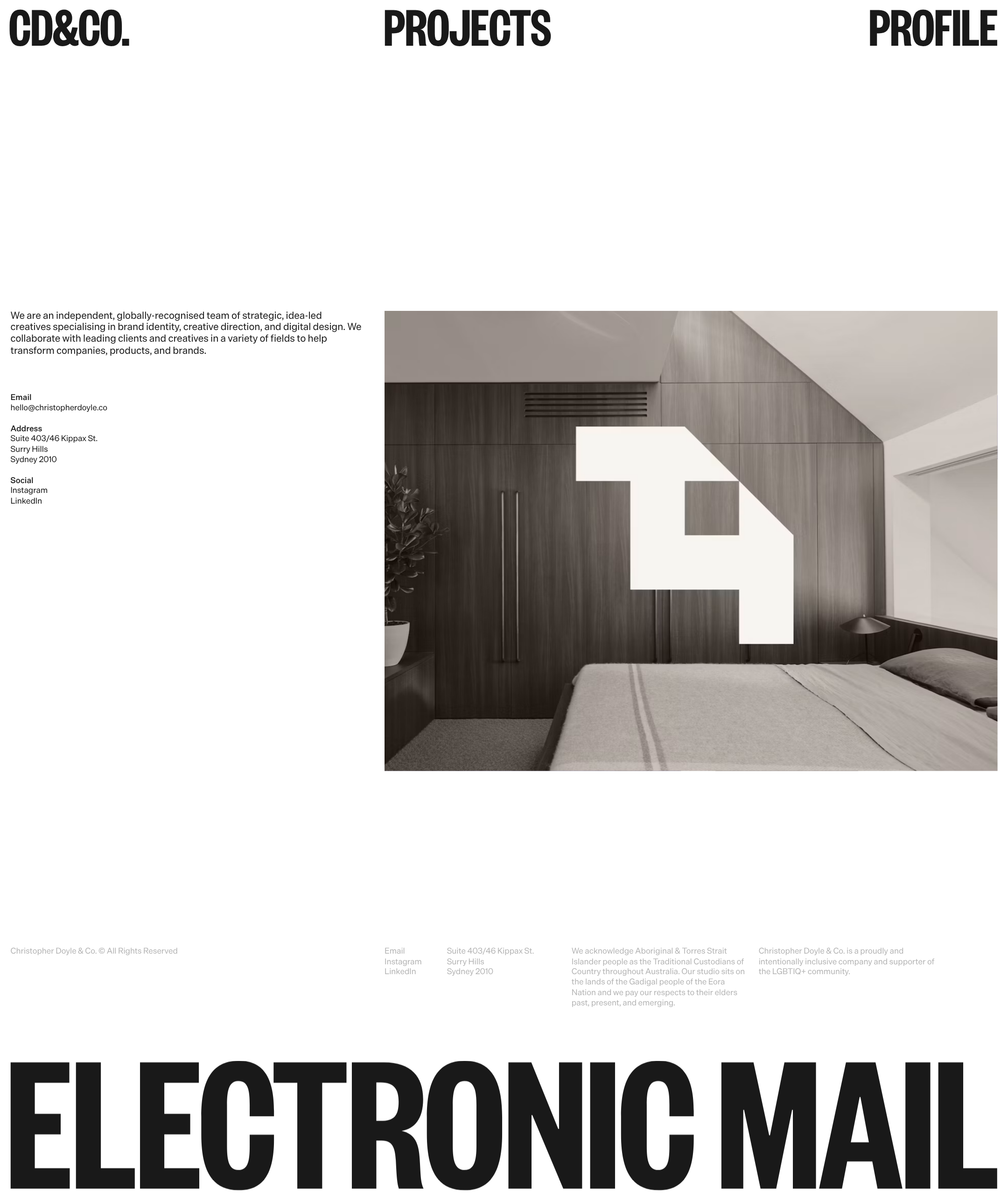
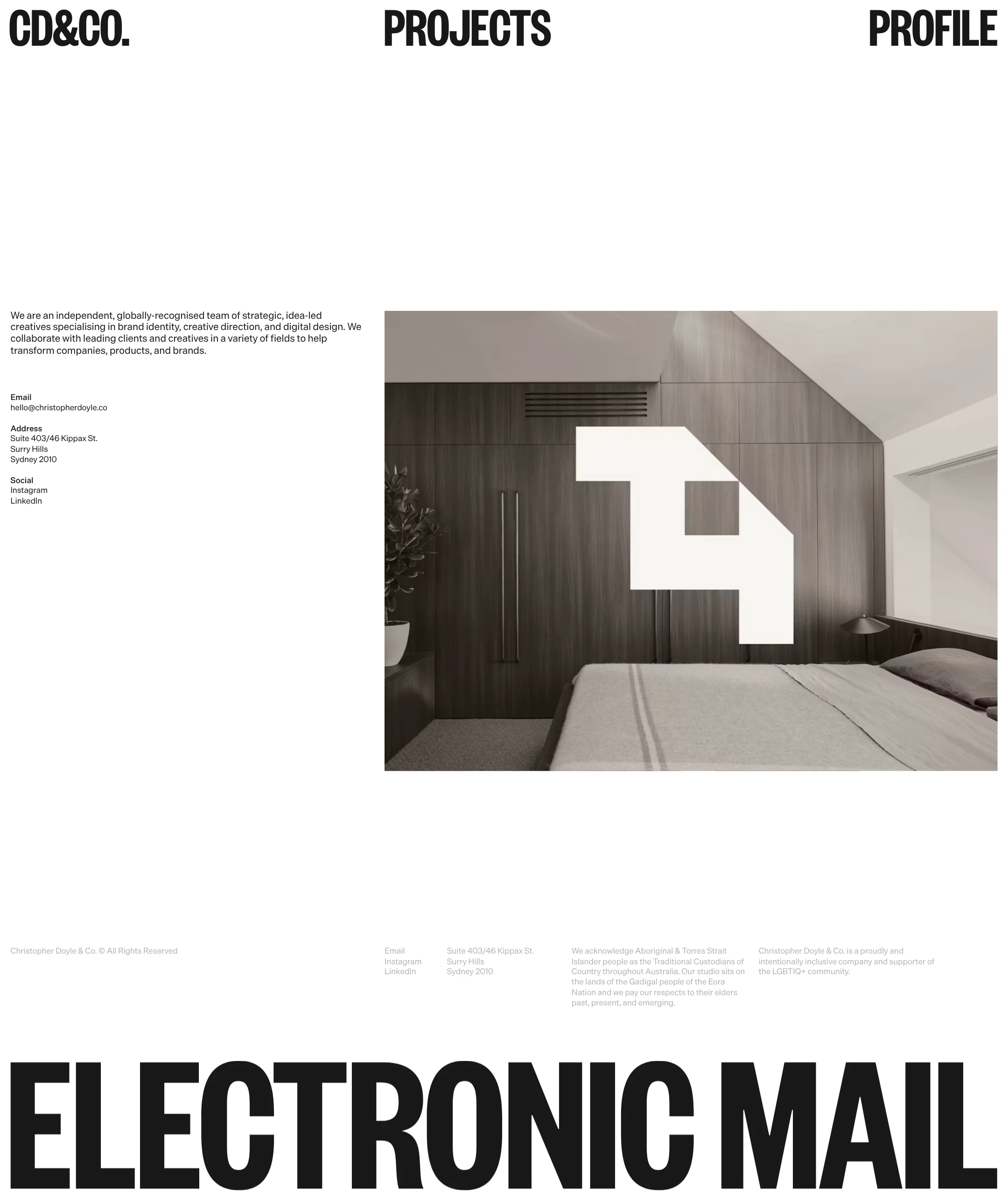
The homepage demonstrates strong art direction through scale, restraint, and deliberate whitespace.
What works
- The oversized navigation and footer typography create an immediately recognizable graphic identity.
- The split information-and-image composition balances editorial content with portfolio imagery.
- The monochrome palette keeps the visual focus on type, image, and spatial rhythm.
- The large featured image gives the sparse layout a clear visual anchor.
Opportunities
- Reduce or better justify the extended empty area before the primary content on smaller screens.
- Expose project title, category, or context closer to the featured image to make the portfolio purpose clearer.
- Ensure the extreme display typography does not overpower essential contact and project information.
Uniqueness
The page has a clear point of view and avoids generic agency-site conventions through its typographic scale and unusually sparse composition.
What works
- The condensed display navigation functions as a strong studio signature.
- The oversized footer phrase is memorable and extends the identity beyond the header.
- The composition feels closer to a designed poster or publication cover than a standard agency landing page.
Opportunities
- Make the relationship between the featured project image and the studio’s capabilities more explicit.
- Use project-specific captions or transitions to add additional authorship without compromising the minimalist direction.
User experience
The visual path is simple, but users receive limited immediate context and the reported accessibility gaps create meaningful barriers.
What works
- The primary routes are prominent and easy to locate in the desktop capture.
- Contact details and social links are available without requiring a form.
- The image-led layout makes the portfolio intent apparent.
Opportunities
- Add a clear page heading and accessible names to all image links.
- Provide captions or project labels so users understand what they are viewing.
- Test the slideshow for pause, focus, keyboard, and reduced-motion behavior.
- Review the very small supporting text and low-emphasis footer copy at zoomed and mobile sizes.
Conversion optimization
For a creative studio, the homepage communicates taste and provides direct contact information, but it could do more to turn visual interest into qualified enquiries.
What works
- Email is visible in the introductory contact block and footer.
- Projects and profile are given prominent navigation placement.
- The distinctive presentation can build confidence with design-aware prospective clients.
Opportunities
- Introduce a more explicit next step for prospective clients, such as a clearly labeled enquiry link.
- Pair the featured work with concise project metadata, services, or outcomes.
- Make the email interaction visibly identifiable and accessible rather than relying on an unlabeled control.
- Surface the studio’s service range earlier so visitors can quickly assess fit.
What we'd improve
- 01high
Repair the accessibility foundation
Add a meaningful H1, descriptive alt text or intentional decorative treatment for slideshow images, accessible names for linked images, and a proper label or accessible name for the email control.
- 02high
Clarify the featured work
Add a project title, category, and short contextual description adjacent to or directly below the large image so the portfolio content is understandable without relying on imagery alone.
- 03medium
Define the enquiry path
Make the primary contact action explicit with a visible, labeled email or enquiry link and ensure its focus state, keyboard behavior, and semantics are clear.
- 04medium
Validate responsive composition
Test the fixed navigation, two-column layout, slideshow cropping, small utility text, and oversized footer typography across mobile widths and browser zoom levels.
- 05low
Audit motion controls
Verify that slideshow transitions can be paused or otherwise controlled where appropriate and that reduced-motion preferences are respected.