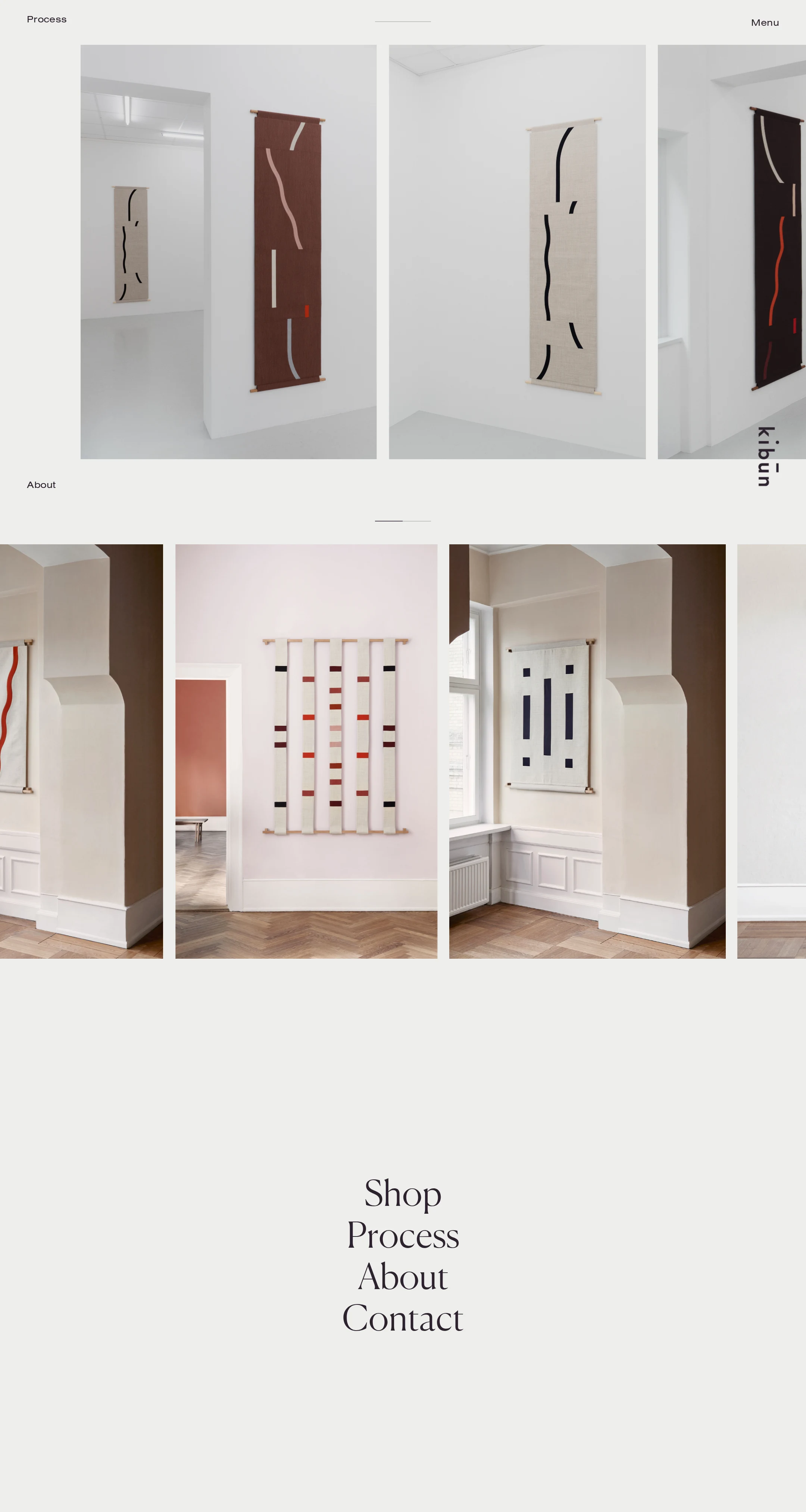
Kibun website analysis
A detailed critique of the homepage's craft, originality, usability, and ability to move visitors toward its intended goal.
Our observations
A visually distinctive, gallery-quality commerce homepage with strong art direction and a clear editorial point of view. It merits inclusion after accessibility and semantic structure are addressed.
Best practices
The page has a coherent navigation concept and no sampled contrast failures, but its semantic and accessibility foundations need substantial work.
What works
- No contrast failures were found in the supplied automated samples.
- Navigation destinations such as Shop, Process, About, and Contact are visibly discoverable.
- The page avoids excessive interface decoration and keeps the primary content focused.
Opportunities
- Provide an accessible name for the 28 unnamed links, including the logo and image-led product links.
- Add a meaningful H1, a main landmark, and a declared document language.
- Ensure every image-led destination has descriptive link text and useful alternative text.
- Verify keyboard focus visibility, focus order, and touch-target dimensions across the fixed navigation.
Design
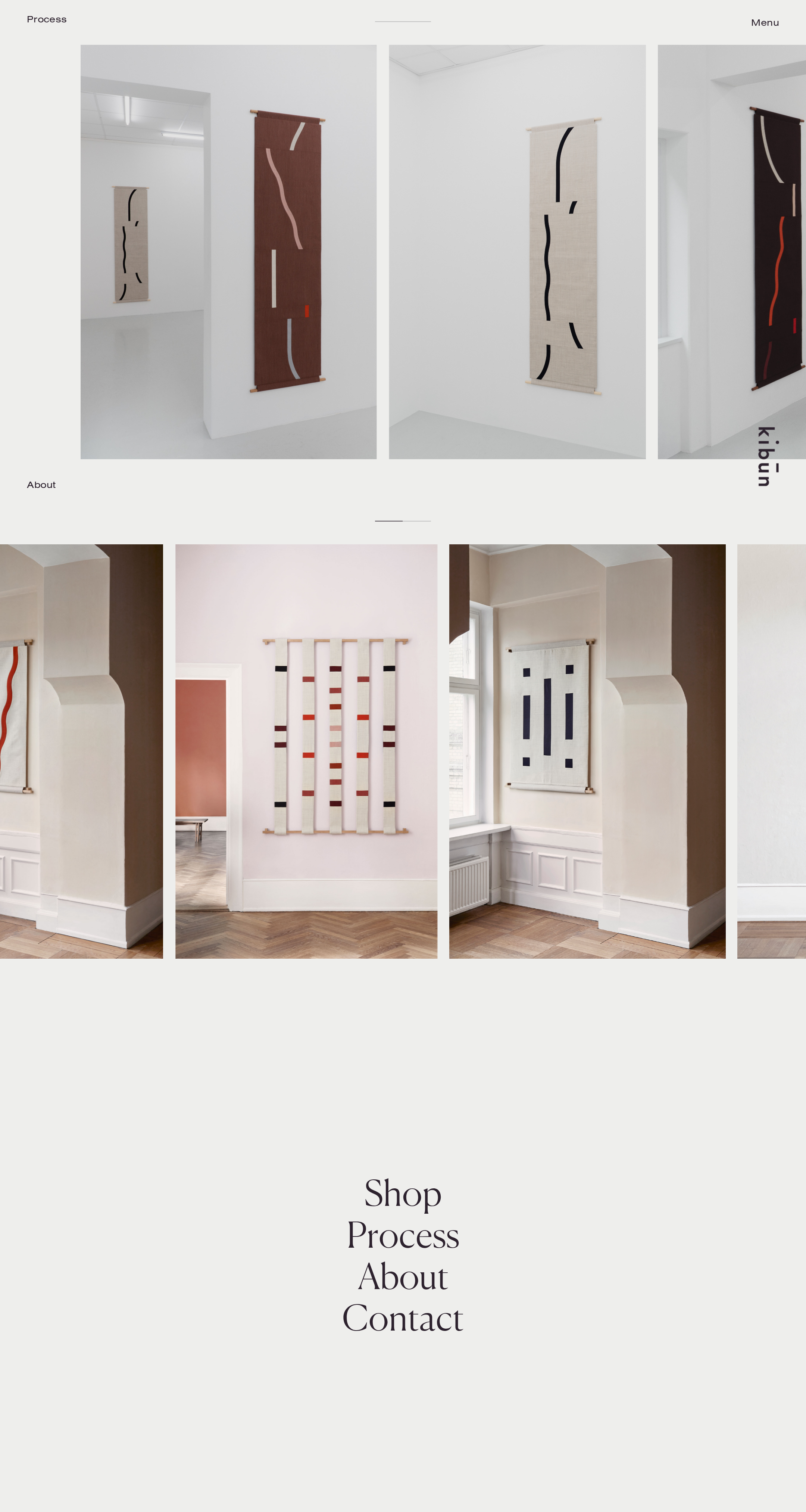
A confident editorial composition with exceptional restraint and strong photographic curation.
What works
- The repeated vertical artwork studies create a memorable gallery-like rhythm.
- Neutral architectural photography gives the textiles room to carry the color story.
- The restrained serif and sans-serif pairing supports both cultural positioning and utility navigation.
- Large negative-space intervals create a premium, unhurried presentation.
Opportunities
- Add a small amount of contextual copy so the visual sophistication is supported by a clear brand and product proposition.
- Make the relationship between image groups, product names, and navigation more explicit for visitors who do not infer the intended browsing pattern.
Uniqueness
The homepage has a recognizable curatorial voice and avoids generic ecommerce conventions.
What works
- The image-led layout feels closer to a digital exhibition than a standard product grid.
- Variable image widths and cropped installation views create a distinctive editorial signature.
- The typography, spacing, and restrained interface work together as a cohesive brand expression.
Opportunities
- Introduce one or two brand-specific informational cues—such as material, maker, or collection context—to deepen the identity beyond presentation style.
- Preserve the unusual composition while making the underlying interaction model more legible.
User experience
The visual path is calm and attractive, but the absence of explicit hierarchy and accessibility labeling creates avoidable uncertainty.
What works
- The main destinations are easy to spot in the screenshot.
- The limited navigation reduces cognitive load.
- The artwork is given enough scale to support visual browsing.
Opportunities
- Use a semantic heading structure and landmark regions to make the long visual sequence navigable with assistive technology.
- Add descriptive labels to image links rather than relying on visual recognition alone.
- Confirm that partially visible image columns do not create confusing horizontal overflow on smaller screens.
- Provide visible hover and keyboard states for all fixed and image-based links.
Conversion optimization
The page supports discovery and brand perception well, but gives limited immediate evidence about products, purchasing, or the next best action.
What works
- A visible Shop destination offers a direct route into commercial browsing.
- The gallery presentation can build desirability and perceived craftsmanship.
- Process and About links may help support trust for considered purchases.
Opportunities
- Add concise product or collection labels near the artwork so visitors can identify what is available without opening every image.
- Make the primary shopping route more prominent for visitors arriving with purchase intent.
- Include essential commercial context—availability, pricing path, or shipping/access information—on product pages and link previews where appropriate.
- Use descriptive calls to action instead of unlabeled image-only links.
What we'd improve
- 01high
Repair link and image semantics
Give the logo, product cards, and all image-led destinations accessible names; pair each product link with a descriptive title and provide meaningful alternative text for informative artwork photography.
- 02high
Establish document structure
Add a declared language, one descriptive H1, a main landmark, and logical section headings so the visual sequence has an equivalent navigable structure.
- 03high
Validate responsive interaction
Test the image bands and fixed navigation at narrow widths, checking for clipping, unintended horizontal scrolling, readable labels, and adequately sized touch targets.
- 04medium
Clarify product discovery
Expose collection or artwork names and a short contextual cue alongside the visual grid, while preserving the sparse editorial presentation.
- 05medium
Strengthen keyboard feedback
Verify visible focus indicators and an intuitive tab order across fixed navigation, menu controls, product links, and the lower navigation cluster.