local daily commute website analysis
A detailed critique of the homepage's craft, originality, usability, and ability to move visitors toward its intended goal.
Our observations
A highly distinctive and visually accomplished ambient homepage whose atmosphere and originality outweigh its limited information architecture, but it needs accessibility and motion-safety improvements before it can be considered exemplary.
Best practices
The page demonstrates strong visual authorship but falls short on several foundational structural and accessibility practices.
What works
- The page is visually coherent and appears intentionally composed around a single experience.
- The supplied audit found no duplicate IDs or heading skips.
- The transit readout provides a recognizable functional cue within the scene.
Opportunities
- Add a meaningful H1 and a main landmark so the experience has a clear semantic entry point.
- Resolve the five reported text-contrast failures, particularly for the small overlay information.
- Provide alternative text or an equivalent accessible description for the train icon.
- Define and test a reduced-motion mode for the animation-led presentation.
Design
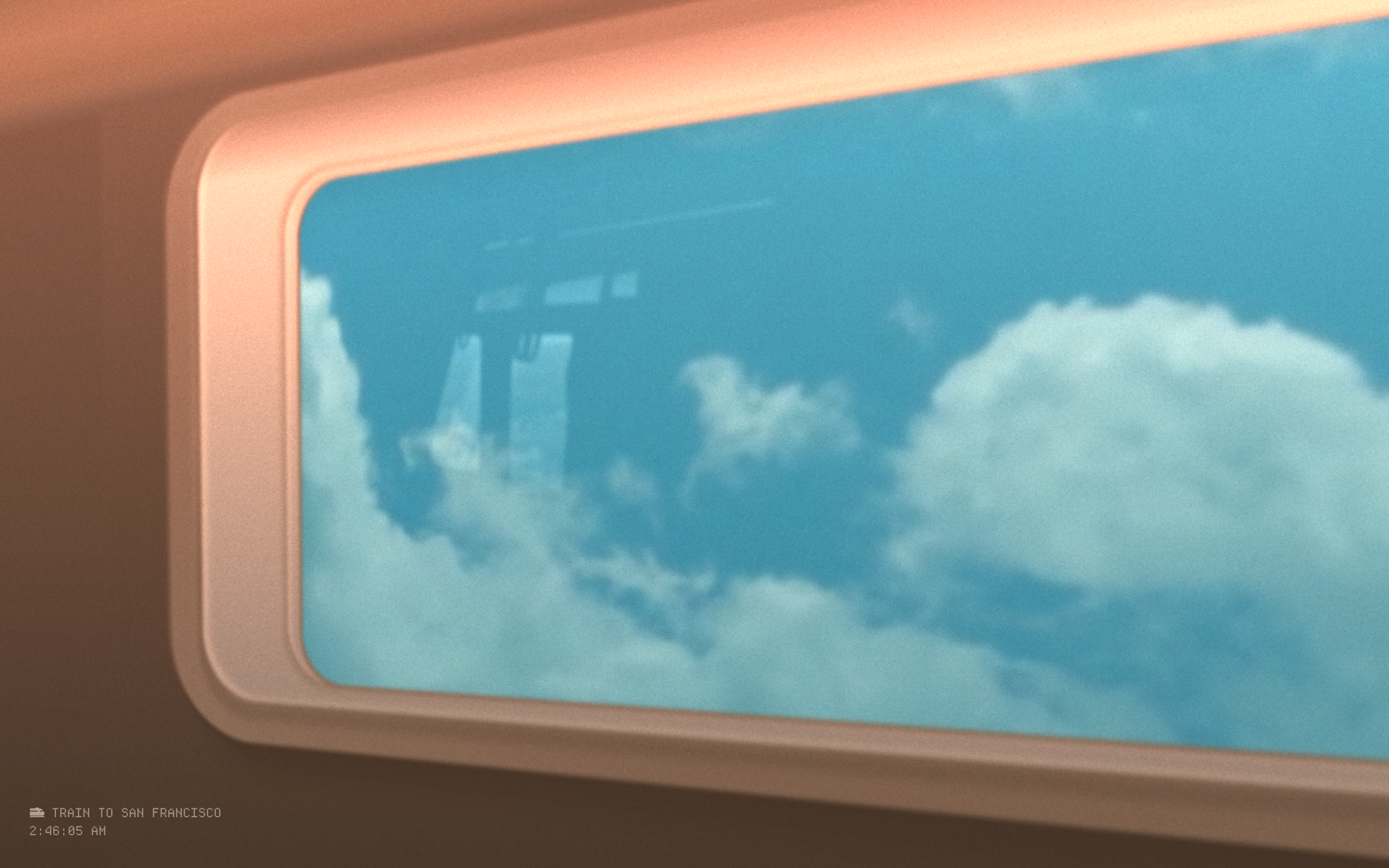
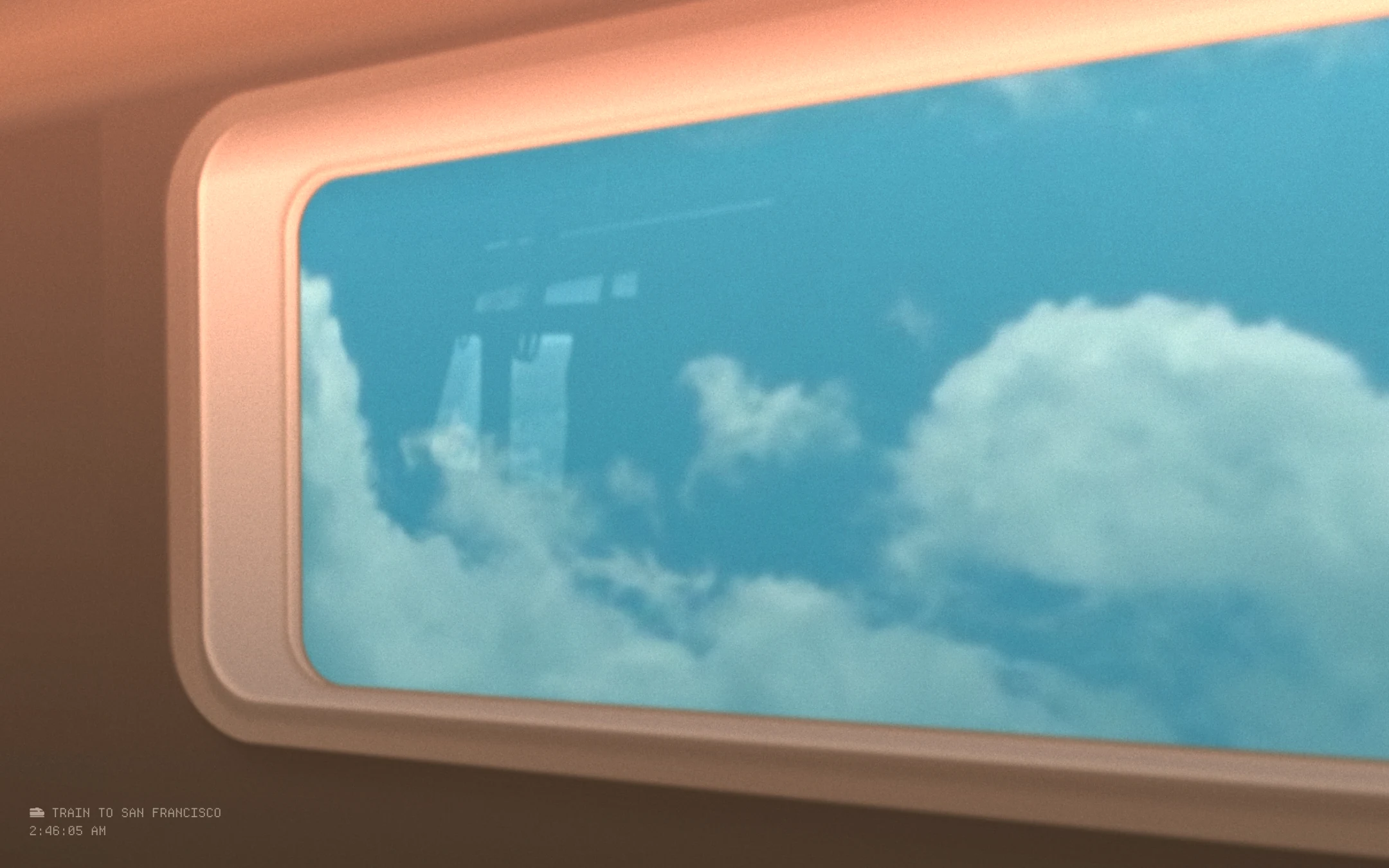
A strong, cohesive art direction makes the homepage immediately recognizable and gives a simple commute concept unusual emotional texture.
What works
- The train-window perspective creates a clear visual metaphor without relying on a conventional hero layout.
- Warm carriage tones and cool exterior blues establish a memorable cinematic contrast.
- The restrained mono typography supports the transit-display premise.
- Layered materials, blur, light, and cloud imagery create depth within a single viewport.
Opportunities
- Increase the prominence of the core commute information without sacrificing the atmospheric composition.
- Improve legibility at the lower-left edge, where the status text is visually subordinate to the image.
- Offer a more deliberate relationship between the ambient scene and any interactive controls.
Uniqueness
The homepage has a highly differentiated concept and execution, using a physical transit environment rather than familiar travel-service conventions.
What works
- The simulated carriage interior is an original framing device for a commute-oriented page.
- The combination of environmental animation and compact status information feels authored rather than template-driven.
- The experience establishes a strong mood from the first view.
Opportunities
- Clarify the intended purpose so the unusual presentation feels purposeful rather than merely atmospheric.
- Make any interaction or data source more visible to distinguish the experience from a static visual artwork.
User experience
The visual experience is memorable, but the small status layer and absent semantic structure make the page harder to understand and use than its polished appearance suggests.
What works
- The single-screen composition is immediately immersive.
- The destination and time readout appears consistently positioned as a stable reference point.
- The scene provides strong contextual cues for a commute-related experience.
Opportunities
- Introduce a clear accessible page title and concise explanatory copy.
- Ensure status information remains readable against changing imagery and lighting.
- Document or expose interaction affordances if the scene responds to scrolling, pointer movement, or touch.
- Verify focus order, keyboard access, touch behavior, and small-screen cropping.
Conversion optimization
For an experiential or art-led homepage, the page succeeds at creating curiosity; for a commute utility, it does not yet make the next action or value proposition sufficiently explicit.
What works
- The distinctive visual premise can encourage exploration and repeat visits.
- The destination and time details communicate at least part of the page's apparent purpose.
- The restrained interface avoids overwhelming the visitor with competing calls to action.
Opportunities
- State what the experience provides and whether the displayed journey is live, simulated, or location-specific.
- Add a clear next action if visitors can begin a route, change a destination, explore scenes, or learn more.
- Use accessible supporting text to connect the visual atmosphere with the utility implied by the title.
- Make any update, refresh, or navigation behavior discoverable rather than leaving it implicit.
What we'd improve
- 01high
Repair the accessibility foundation
Add a meaningful H1 and main landmark, supply alternative text for the train icon, and revise the five flagged text treatments so destination and time remain readable across the scene.
- 02high
Add reduced-motion behavior
Provide a prefers-reduced-motion presentation that removes or substantially limits load-in, light, beam, and environmental animation while retaining the destination and time information.
- 03high
Clarify the experience's purpose
Add a concise, accessible explanation of whether this is a live commute display, a simulated journey, or an ambient art experience, and identify the primary action available to visitors.
- 04medium
Strengthen information hierarchy
Give the destination and time readout a more deliberate visual and semantic position, with sufficient size, contrast, and separation from changing imagery.
- 05medium
Validate responsive and input behavior
Test the fixed, canvas-heavy composition on narrow screens and with keyboard, touch, zoom, and screen-reader workflows; ensure the scene never obscures essential information.